Using Final Cut Pro
Getting started with Final Cut Pro on a Mac: libraries, cutting and exporting, titles and color correction.
7 articles · Last updated November 27, 2026
-
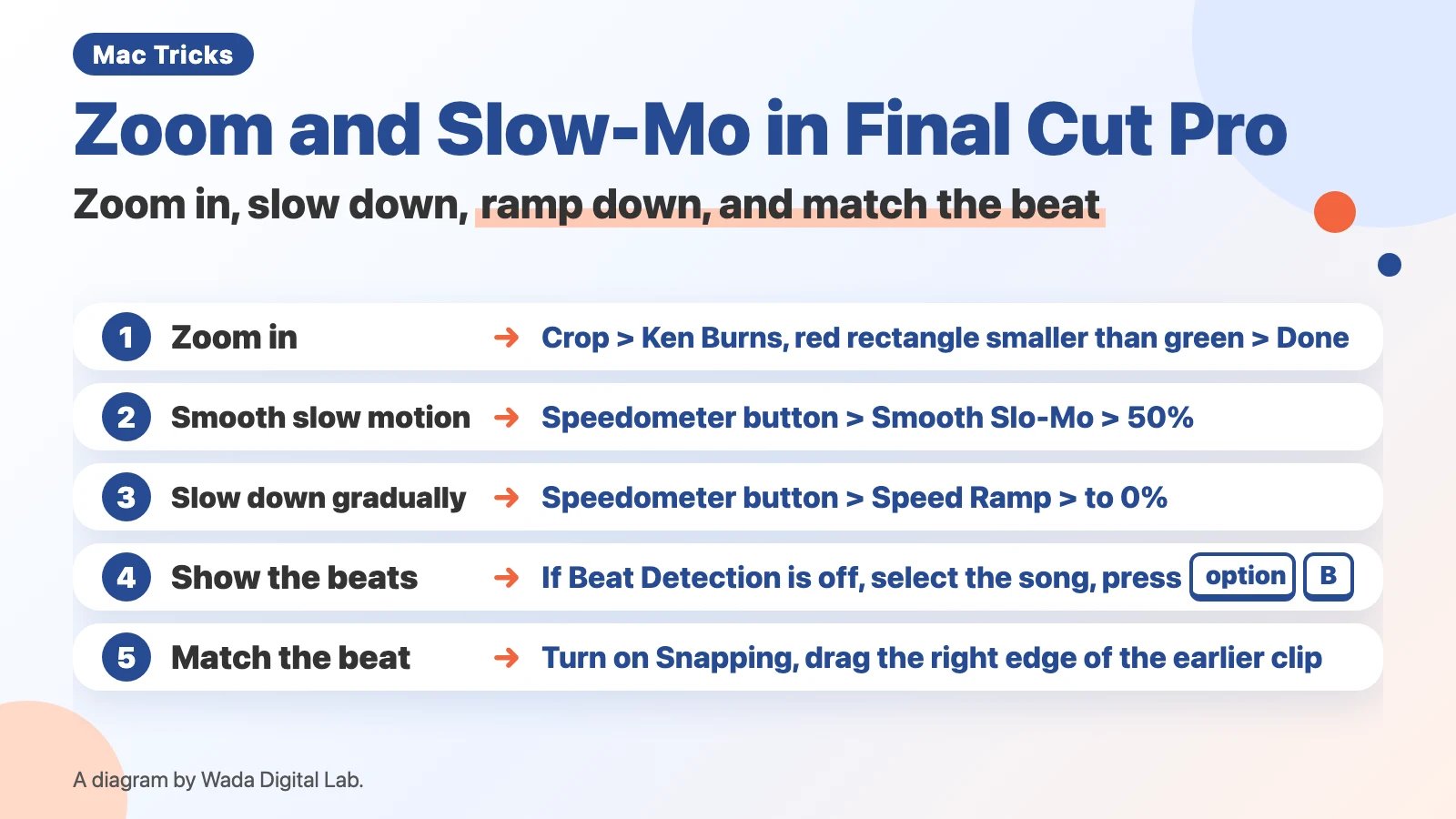 How to Add Zoom and Slow Motion in Final Cut Pro — Zoom In with Ken Burns, Smooth Out Slow Motion with Smooth Slo-Mo. Slow Down Gradually with Speed Ramp, and Match the Music with Beat Detection
Final Cut Pro 13.0: Ken Burns zoom, Smooth Slo-Mo at 50%, Speed Ramp to 0%, and Option-B Beat Detection with Snapping.
-
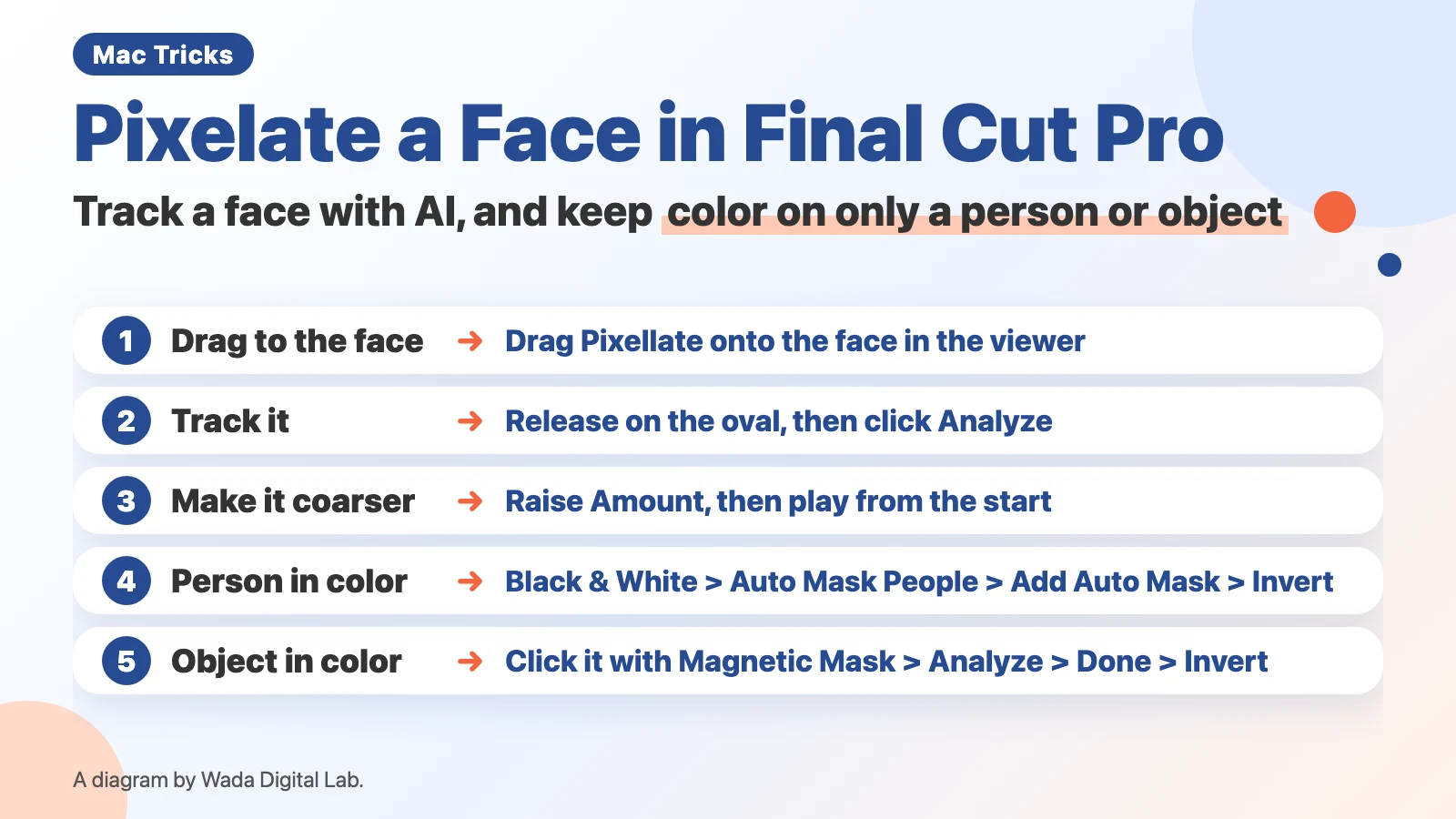 How to Pixelate a Face in Final Cut Pro — Drag Pixellate onto the Face and Click Analyze. Keep Color on Just a Person or Object with Auto Mask and Magnetic Mask
Final Cut Pro 13.0: drag Pixellate onto a face in the viewer, click Analyze, raise Amount. Auto Mask People and Invert.
-
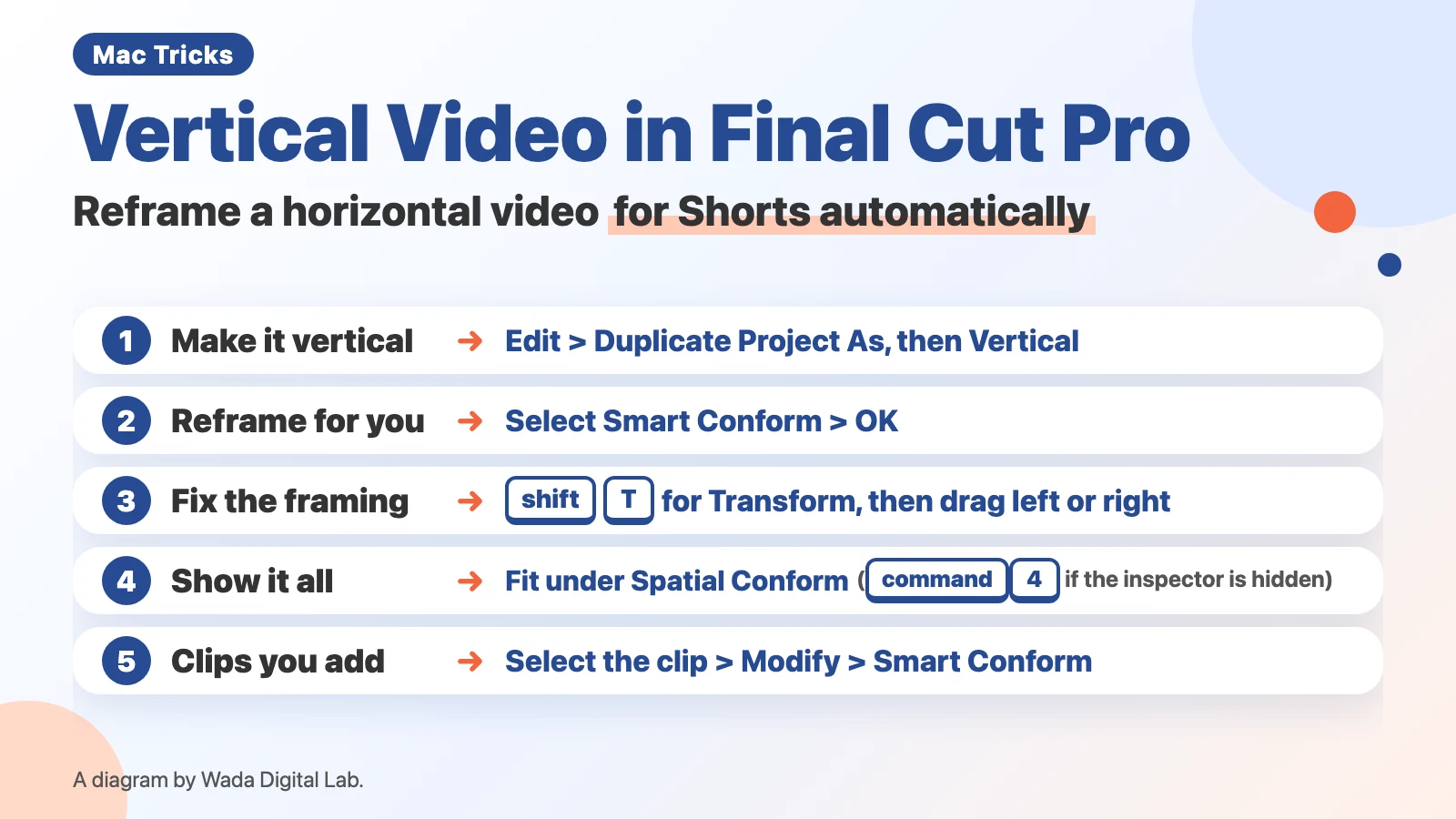 How to Make a Vertical Video in Final Cut Pro — Automatically Reframe a Horizontal Video for Shorts with Smart Conform, Fix the Framing, and Show It All with Fit
Final Cut Pro 13.0: Duplicate Project As, set Format to Vertical, select Smart Conform. Fix framing with Shift-T.
-
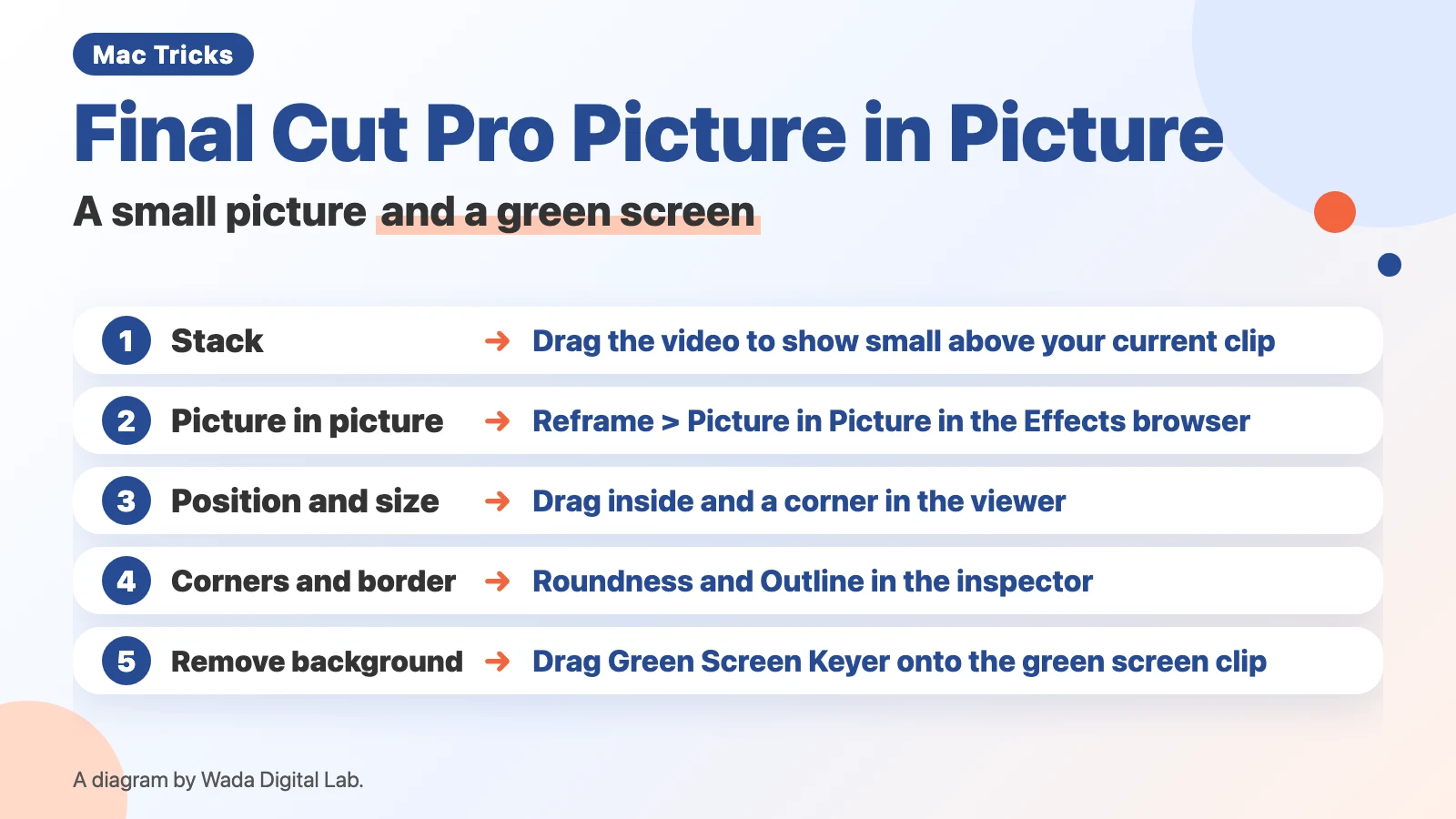 How to Add Picture in Picture in Final Cut Pro — Just Drag the Effect. Round the Corners, Add a Border, and Remove a Green Screen Background
Drag Picture in Picture onto the upper clip. Roundness rounds the corners. Green Screen Keyer removes the green.
-
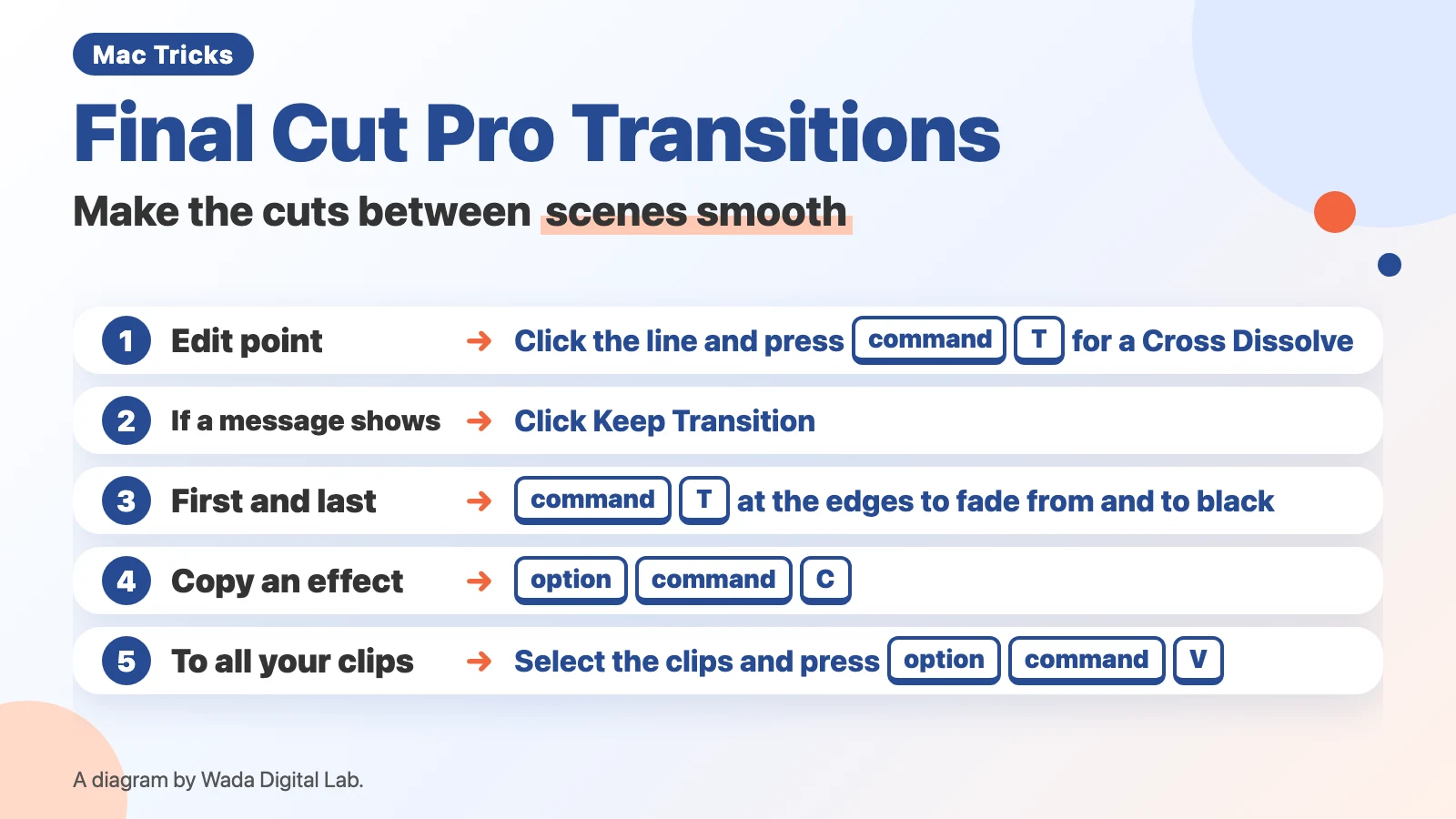 How to Add Transitions in Final Cut Pro — Command-T at the Edit Point, When Transitions Are Not Working, and Adding an Effect to All Clips
Select an edit point, press Command-T. If a shorter video is OK, click Keep Transition. Paste effects: Option-Command-V.
-
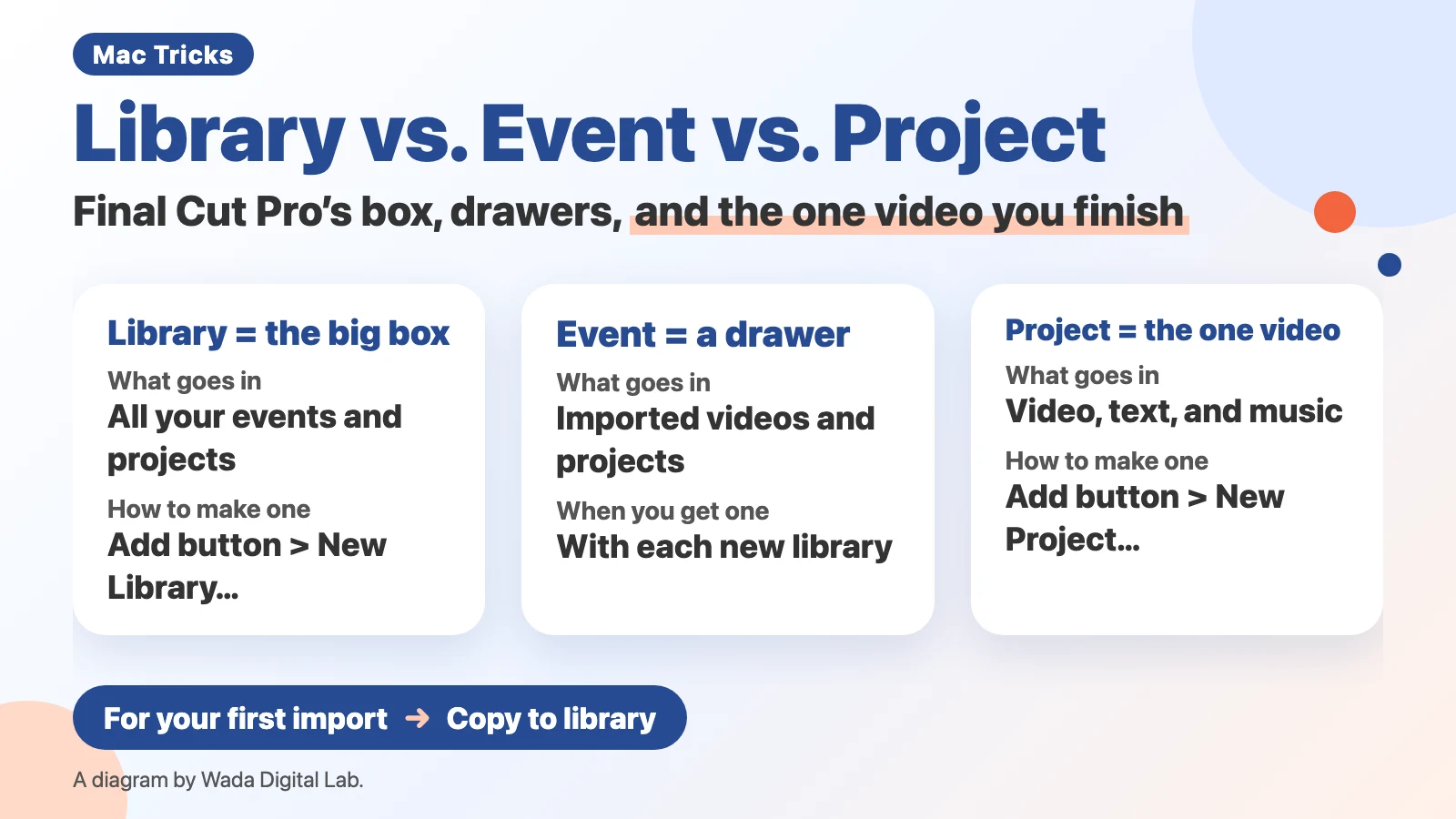 Final Cut Pro Library vs. Event vs. Project — How to Get Started and Import Your First Videos with Copy to Library
Final Cut Pro library vs. event vs. project as a box and drawers, and importing with Copy to library in version 12.4.
-
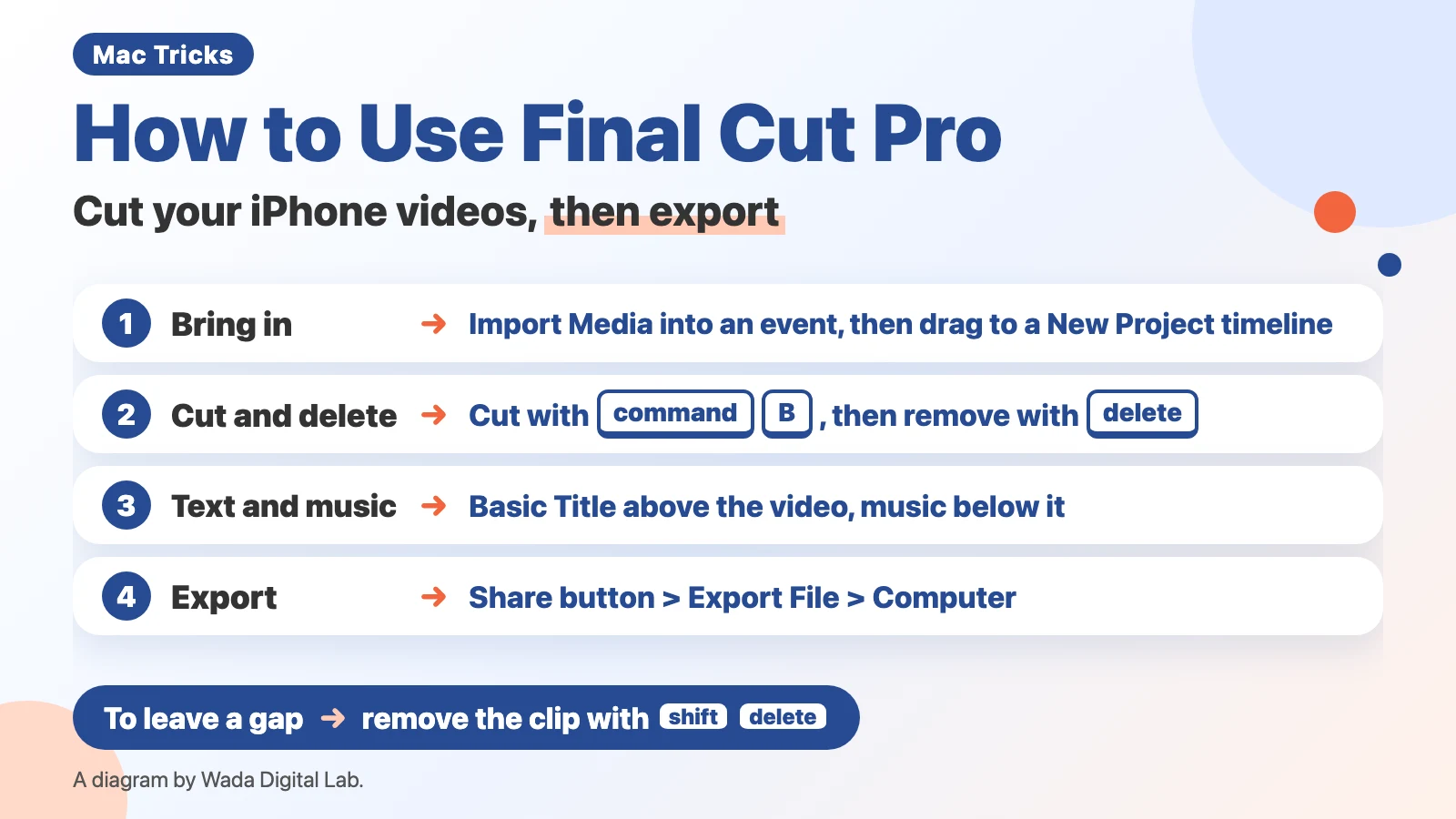 How to Use Final Cut Pro for Beginners — Cut Your iPhone Videos, Add Text and Music, and Export to MP4
How to use Final Cut Pro: import iPhone videos, cut with Command-B, add a title and music, and export as MP4.
Other topics
Mac Troubleshooting DictionaryLook up the problem, find the fix
Mac Keyboard ShortcutsSearch by task, with a free printable PDF
Mac Screenshot Shortcuts11 keys for screenshots and recording, with a free PDF
Mac Finder Shortcuts21 keys for files and folders, with a free PDF
Mac Text Editing Shortcuts23 keys for moving, selecting, deleting and formatting text, with a free PDF
About Wada Digital LabHow we write and check our articles
All browser toolsImages, PDFs and audio, on one page
HEIC to JPG ConverterTurn iPhone photos into JPGs, many at once
Compress ImagesMake photos smaller, many at once
Resize ImagesChange the size of photos, many at once
Blur ScreenshotsHide personal details, point things out
Convert to MP3Recordings and video audio, many at once
PNG to JPG ConverterJPG to PNG too, many at once
WebP to JPG ConverterPNG too, many at once
Merge PDF FilesCombine PDFs and images into one
Split PDFOne PDF per page, or by page range
Compress PDFMake PDFs smaller, many at once
PDF to TextExtract text from scanned PDFs (OCR)
Image to TextExtract text from photos and screenshots (OCR)
X Character CounterCheck if your post fits in 280