Desktop and Dock
Fixes for the desktop, the Dock and the menu bar, such as a cluttered desktop or a Dock that moves between displays.
4 articles · Last updated October 21, 2026
-
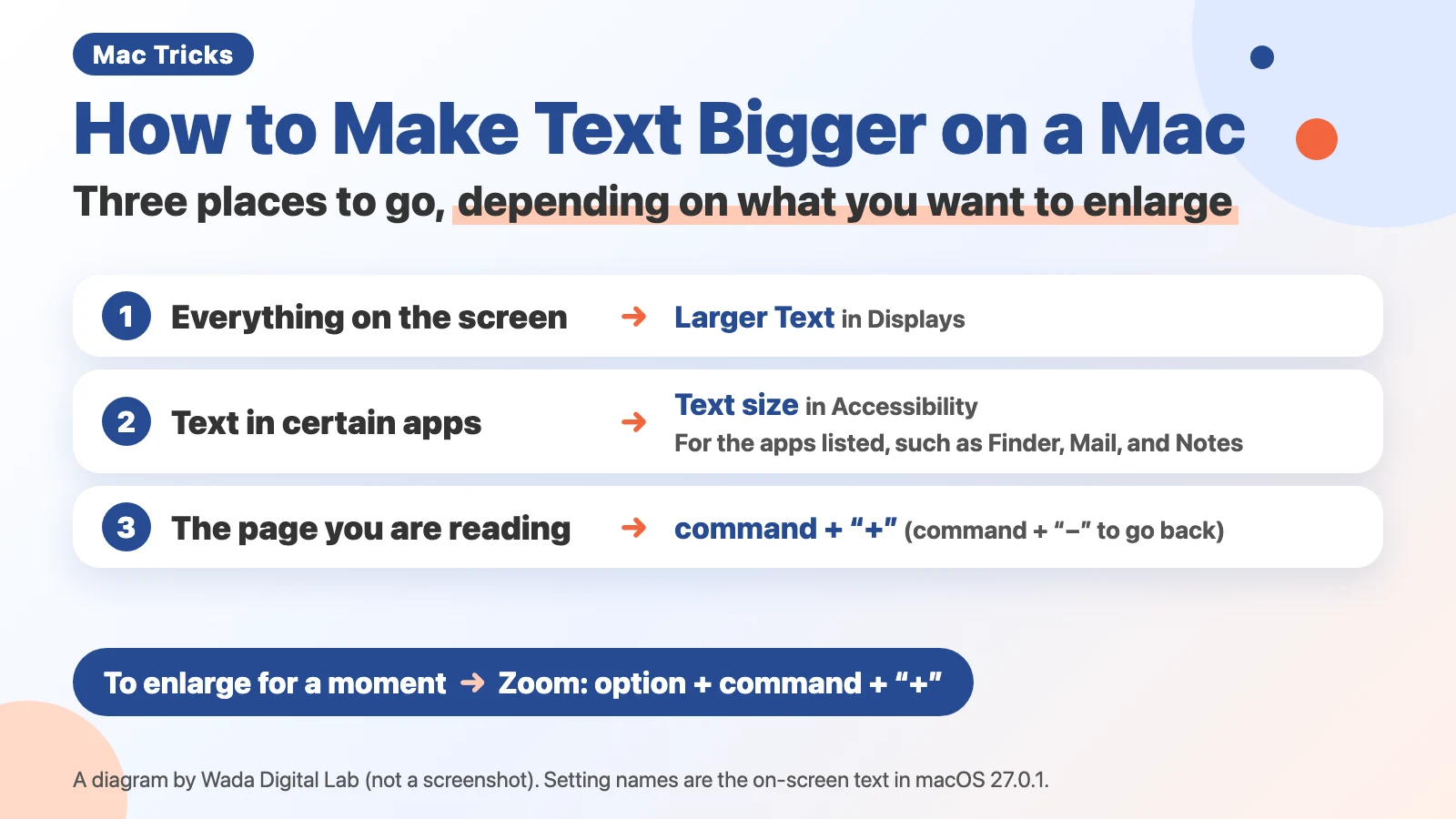 How to Make Text Bigger on a Mac — Everything on the Screen, Certain Apps, and Shortcuts
Make Mac text bigger: Larger Text in Displays for everything, Text size for some apps, Command-Plus Sign for one page.
How to Make Text Bigger on a Mac — Everything on the Screen, Certain Apps, and Shortcuts
Make Mac text bigger: Larger Text in Displays for everything, Text size for some apps, Command-Plus Sign for one page.
-
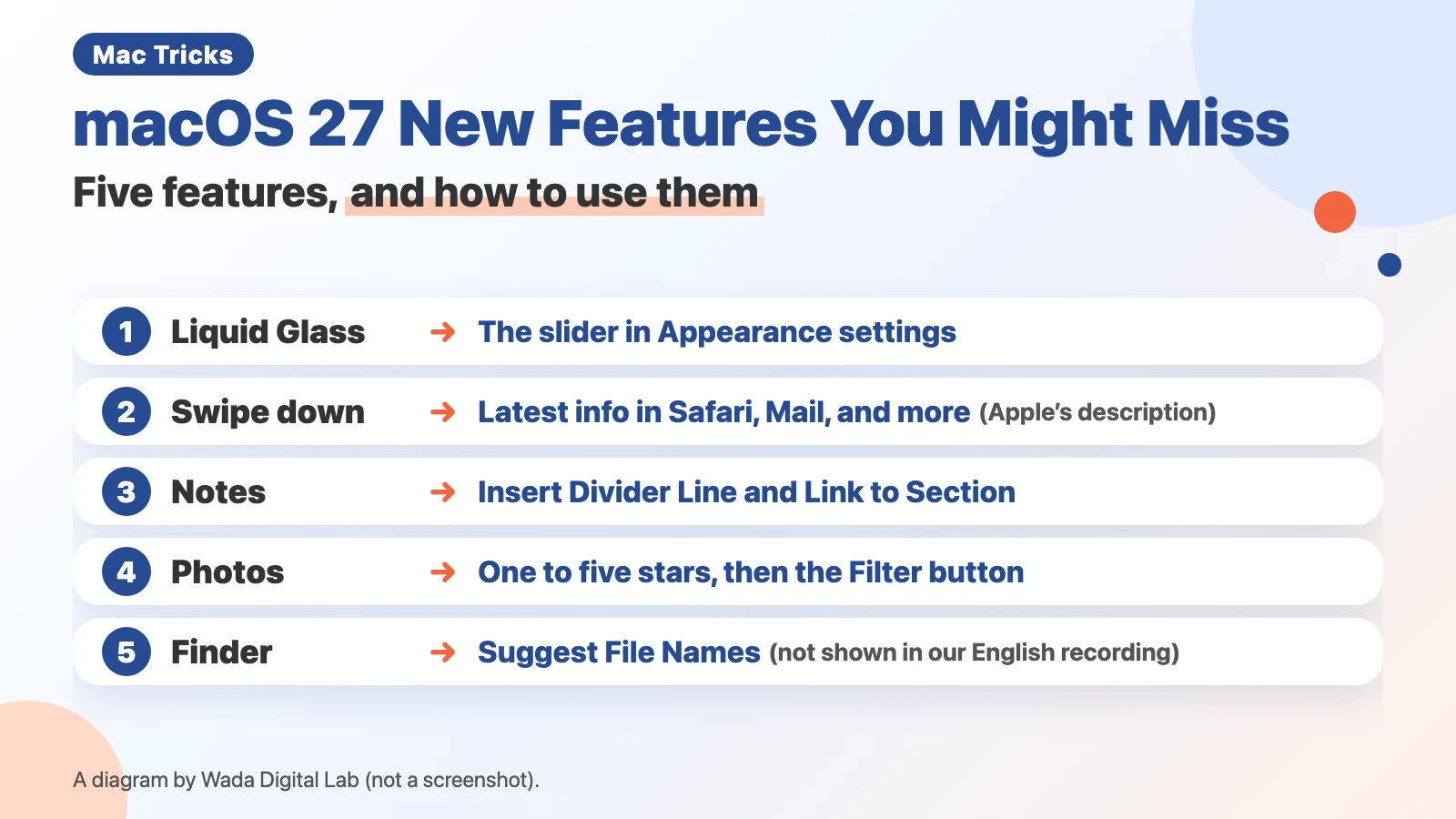 macOS 27 New Features You Might Miss — The Liquid Glass Slider, Notes Dividers, and Photo Ratings
How to use 5 easy-to-miss macOS 27 new features, including the Liquid Glass slider and Notes divider lines.
macOS 27 New Features You Might Miss — The Liquid Glass Slider, Notes Dividers, and Photo Ratings
How to use 5 easy-to-miss macOS 27 new features, including the Liquid Glass slider and Notes divider lines.
-
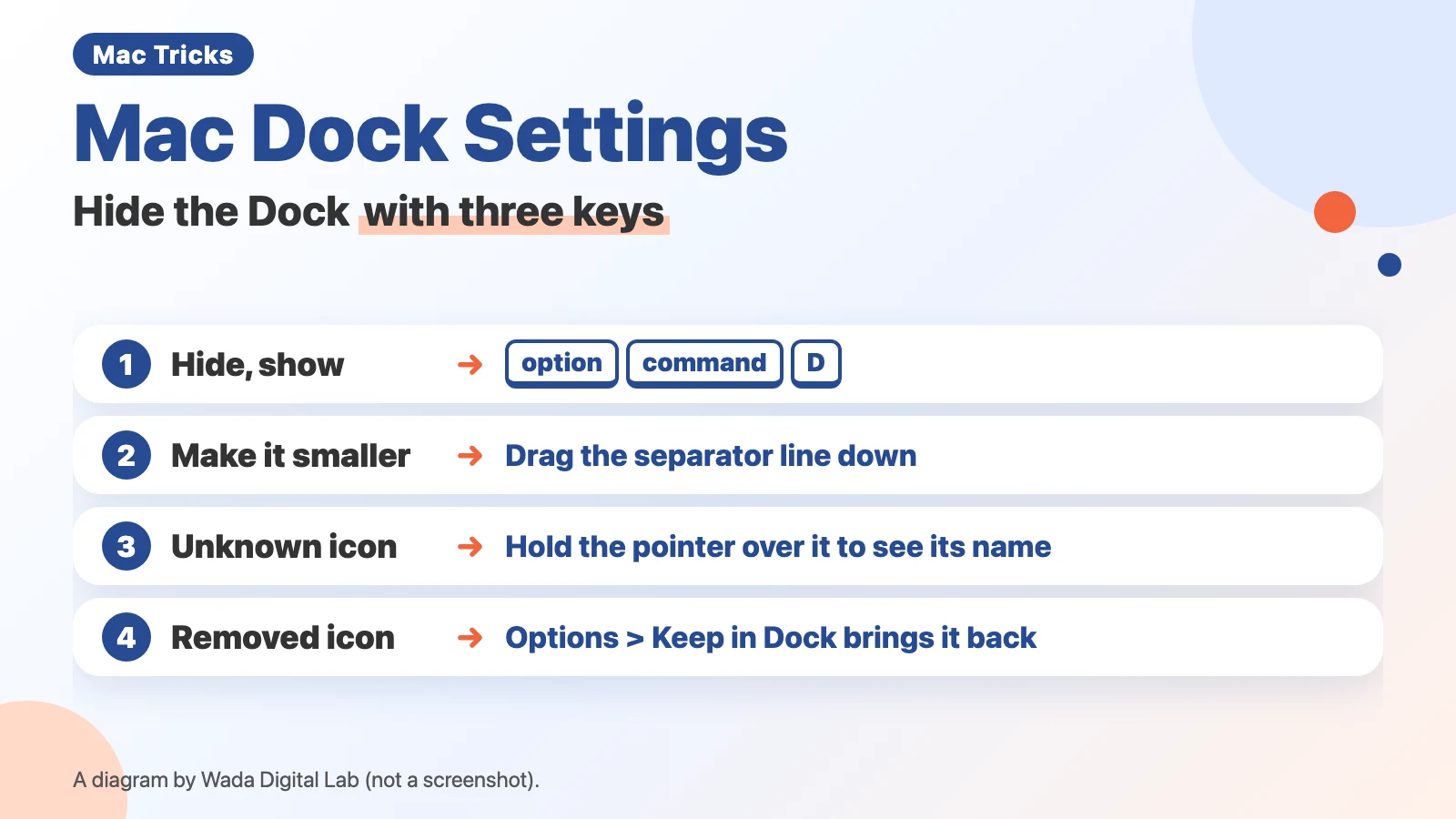 Mac Dock Settings — Hide the Dock with Three Keys
Hide the Mac Dock with Option-Command-D, make it smaller, identify unfamiliar icons, and put back an icon you removed.
Mac Dock Settings — Hide the Dock with Three Keys
Hide the Mac Dock with Option-Command-D, make it smaller, identify unfamiliar icons, and put back an icon you removed.
-
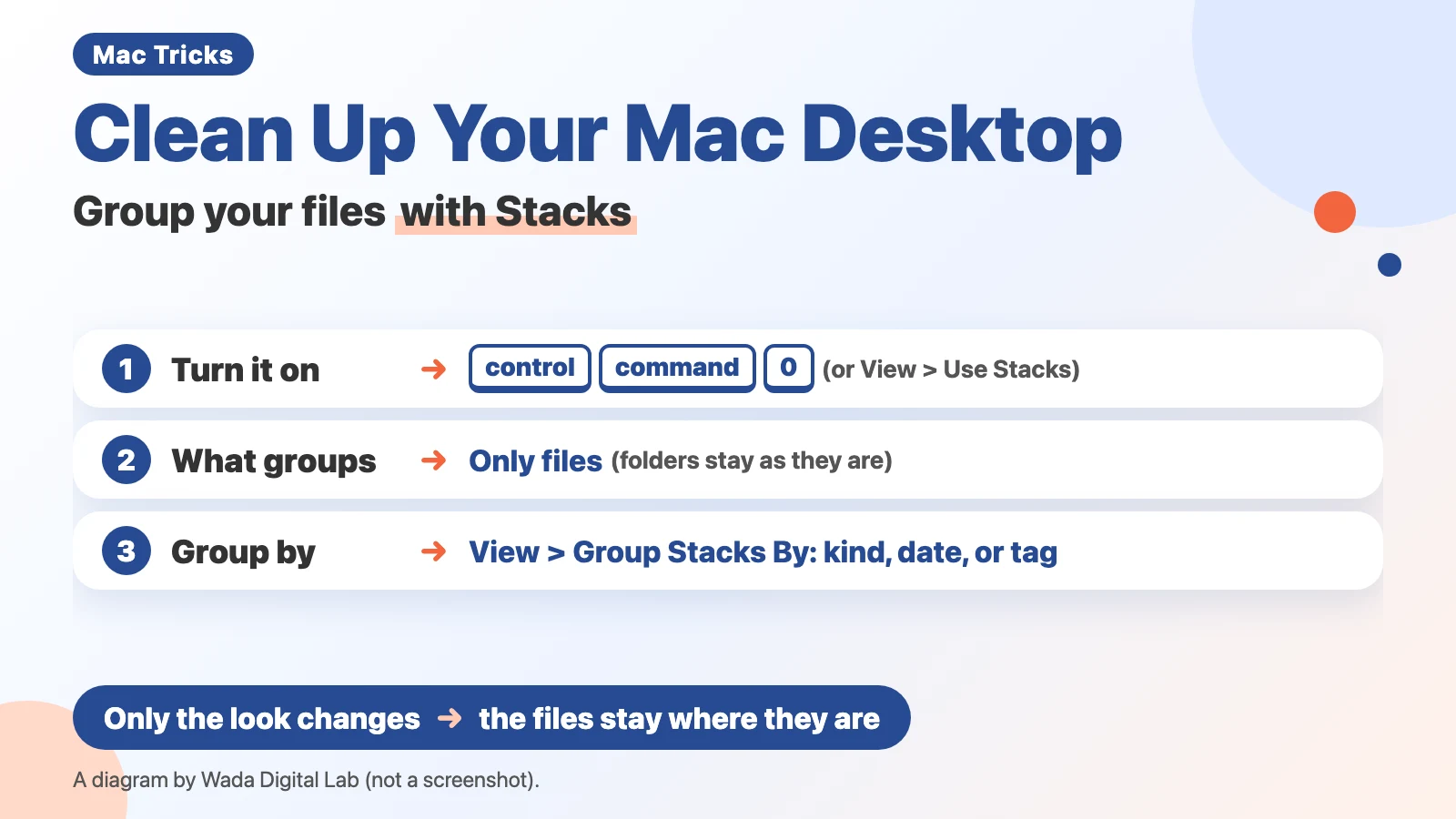 Clean Up Your Mac Desktop Instantly — Group Your Files with Stacks
Stacks in macOS piles desktop files into groups, such as by kind. Turn it on with Control-Command-0 and pick a grouping.
Clean Up Your Mac Desktop Instantly — Group Your Files with Stacks
Stacks in macOS piles desktop files into groups, such as by kind. Turn it on with Control-Command-0 and pick a grouping.
Other topics
Mac Troubleshooting DictionaryLook up the problem, find the fix
About Wada Digital LabHow we write and check our articles
All browser toolsImages, PDFs and audio, on one page
HEIC to JPG ConverterTurn iPhone photos into JPGs, many at once
Compress ImagesMake photos smaller, many at once
Resize ImagesChange the size of photos, many at once
Blur ScreenshotsHide personal details, point things out
Convert to MP3Recordings and video audio, many at once
PNG to JPG ConverterJPG to PNG too, many at once
WebP to JPG ConverterPNG too, many at once
Merge PDF FilesCombine PDFs and images into one
Split PDFOne PDF per page, or by page range
Compress PDFMake PDFs smaller, many at once
Image to TextExtract text from photos and screenshots (OCR)