Privacy and security
Fixes for problems with passwords and privacy, such as password AutoFill and where your voice goes when you dictate.
3 articles · Last updated October 17, 2026
-
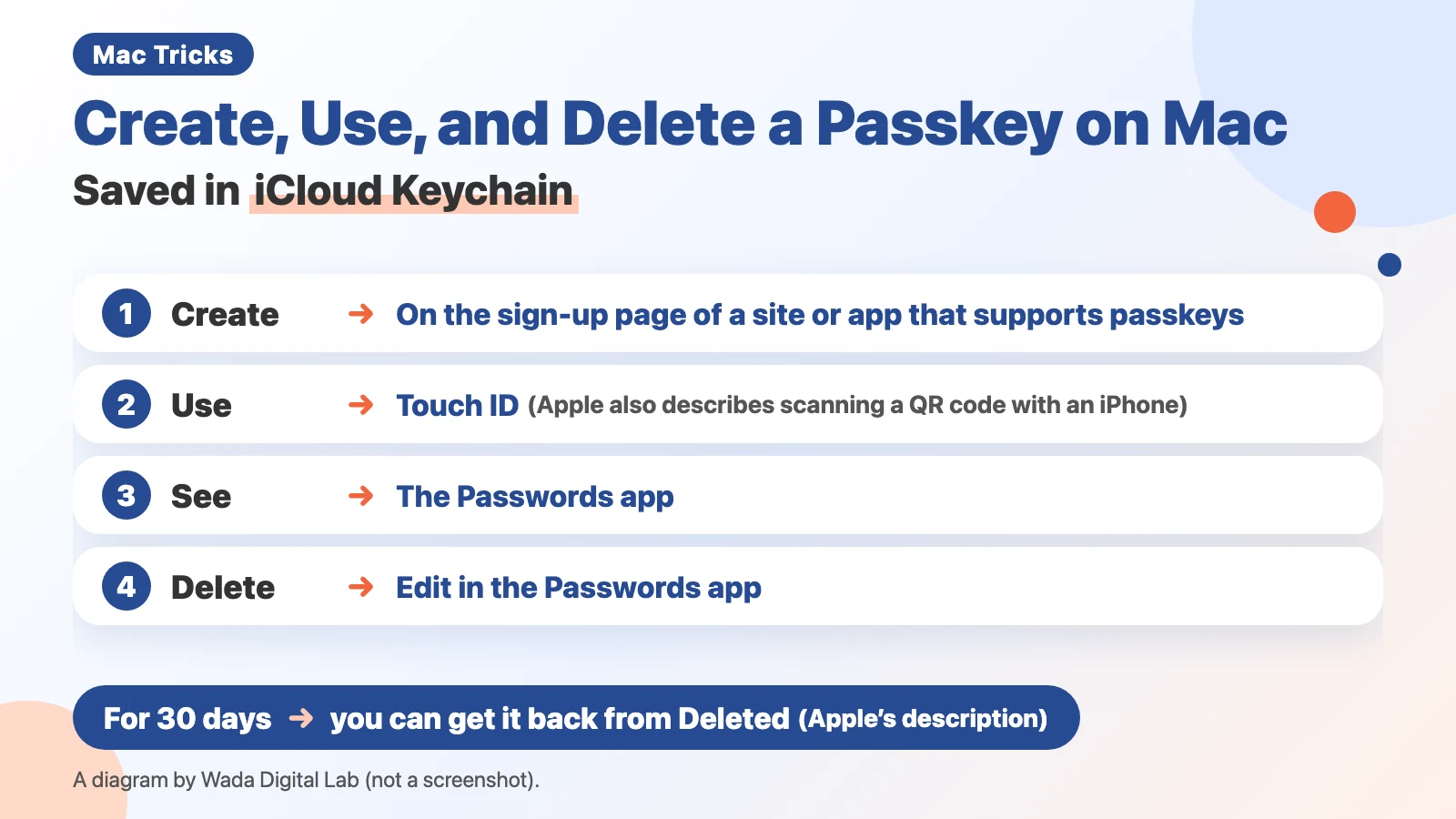 How to Create, Use, and Delete a Passkey on Mac — Saved in iCloud Keychain, Deleted in the Passwords App
To create a passkey on a Mac, set up iCloud Keychain. Delete it in the Passwords app; your website account stays.
How to Create, Use, and Delete a Passkey on Mac — Saved in iCloud Keychain, Deleted in the Passwords App
To create a passkey on a Mac, set up iCloud Keychain. Delete it in the Passwords app; your website account stays.
-
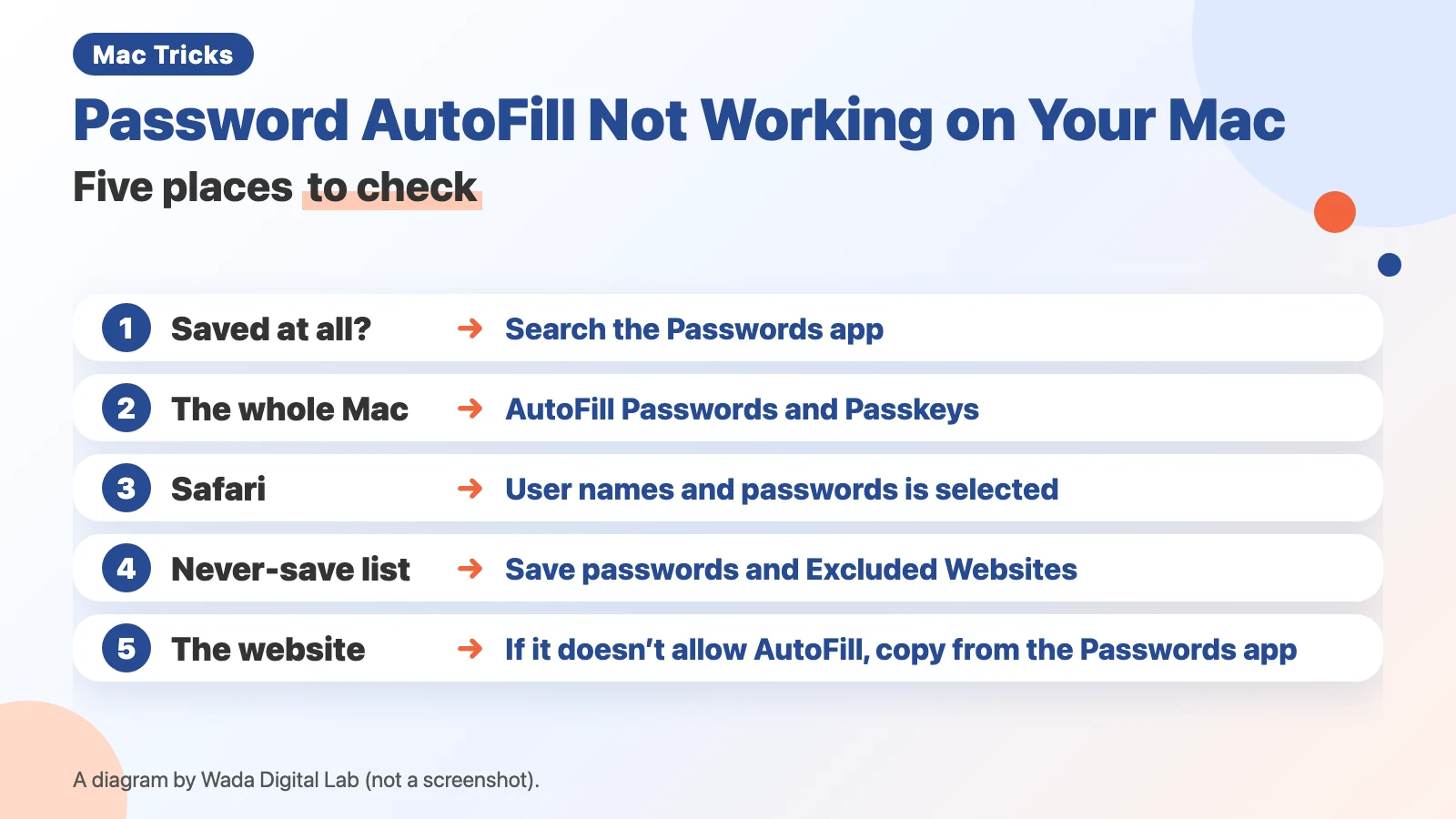 Password AutoFill not working on your Mac — five places to check
If a saved password won't AutoFill on your Mac, check five places in order, including a setting Apple's page leaves out.
Password AutoFill not working on your Mac — five places to check
If a saved password won't AutoFill on your Mac, check five places in order, including a setting Apple's page leaves out.
-
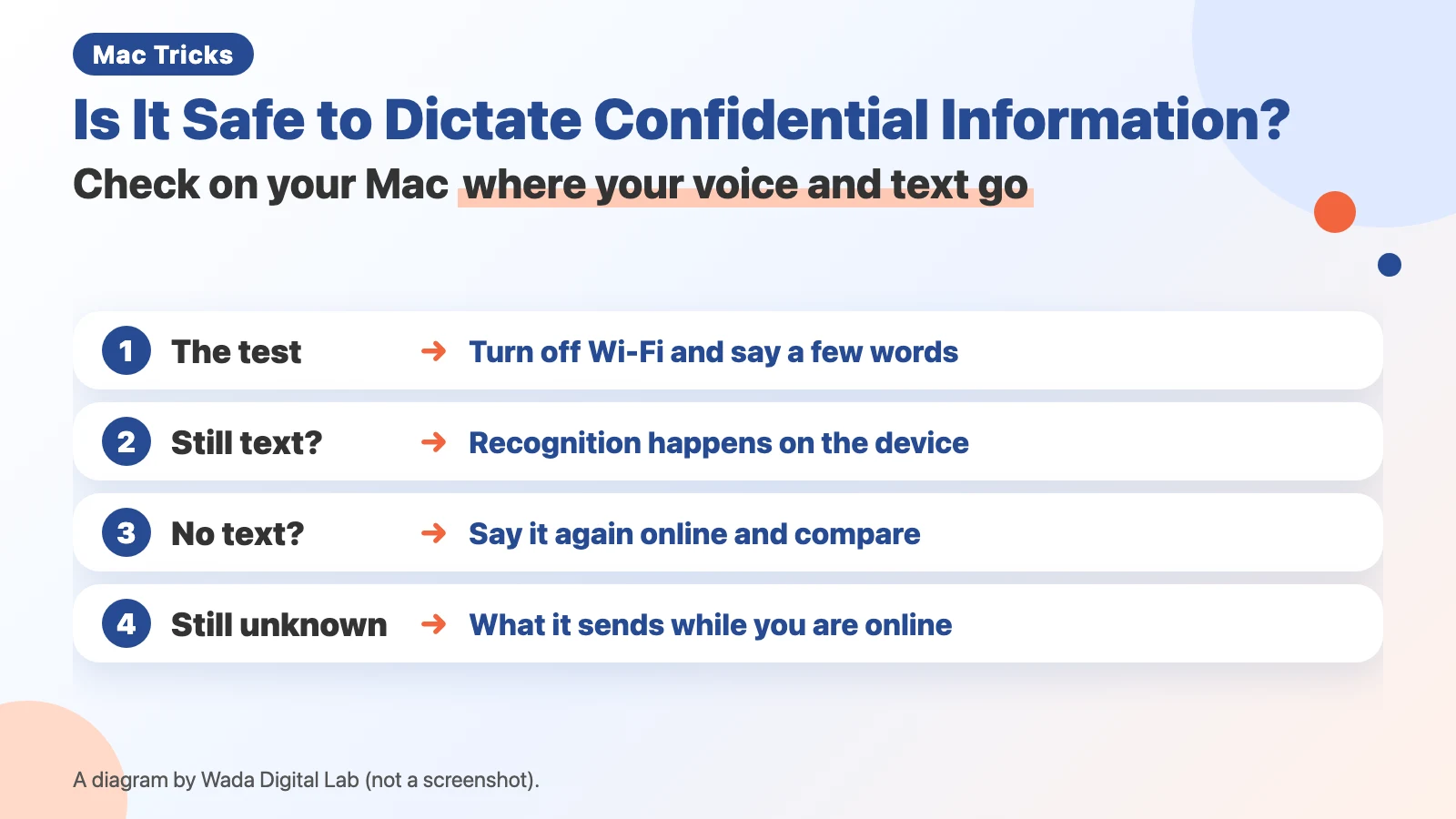 Is it safe to dictate confidential or personal information? — Check on your Mac where your voice and text go
Is dictation safe for confidential work? Turn off Wi-Fi and speak to see if it works offline, then check Mac settings.
Is it safe to dictate confidential or personal information? — Check on your Mac where your voice and text go
Is dictation safe for confidential work? Turn off Wi-Fi and speak to see if it works offline, then check Mac settings.
Other topics
Mac Troubleshooting DictionaryLook up the problem, find the fix
About Wada Digital LabHow we write and check our articles
All browser toolsImages, PDFs and audio, on one page
HEIC to JPG ConverterTurn iPhone photos into JPGs, many at once
Compress ImagesMake photos smaller, many at once
Resize ImagesChange the size of photos, many at once
Blur ScreenshotsHide personal details, point things out
Convert to MP3Recordings and video audio, many at once
PNG to JPG ConverterJPG to PNG too, many at once
WebP to JPG ConverterPNG too, many at once
Merge PDF FilesCombine PDFs and images into one
Split PDFOne PDF per page, or by page range
Compress PDFMake PDFs smaller, many at once
Image to TextExtract text from photos and screenshots (OCR)