X Character Counter — Check if your post fits in 280, counted the way X counts
This page in Japanese: 日本語
Count the characters in a post for X (formerly Twitter) the way X itself counts them. Every link counts as 23, however long it is, and Japanese, Chinese and Korean characters and emoji count as 2. Type or paste your text to see how many of the 280 you have left. It’s completely free, as often as you like. No sign-up, no ads, and no app to install.
Count characters the way X counts
Type or paste your post, and the count appears here.
Counted as links
The part over 280
How to use it
- Type your post in the box above, or paste it in.
- The big number is your count, the way X counts it. Below it, you’ll see how many of the 280 you have left.
- If you go over 280, the extra part shows up in a red box. Cut it, or say it more briefly.
- When you’re done, click “Copy text” and paste it into X.
When you tap Reply, X adds the other person’s @username to the start of your post. That name doesn’t count. To check a reply, enter only your own text, without the name.
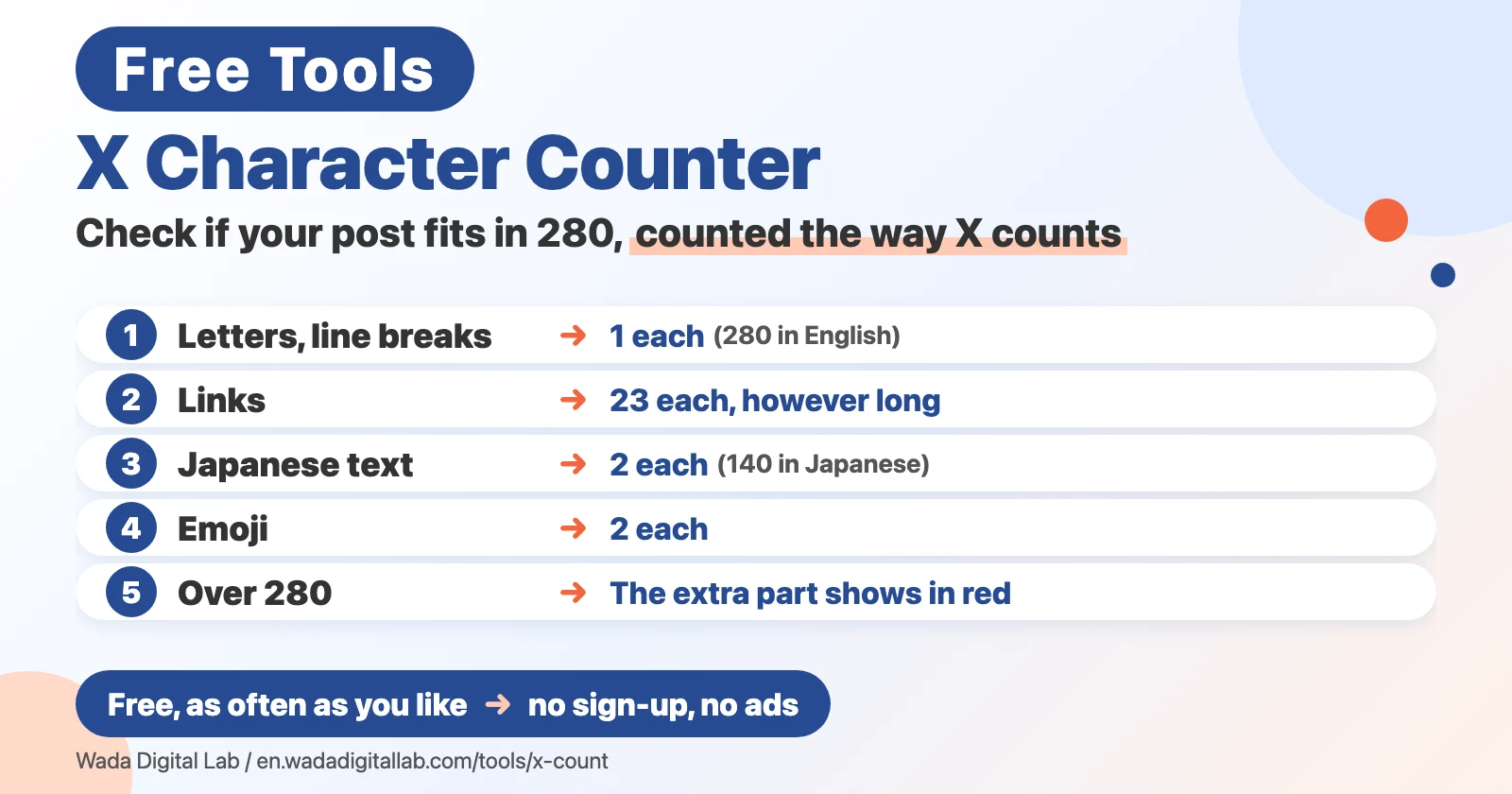
How X counts characters
- Letters, numbers, symbols, spaces and line breaks: 1 each. “Hello” is 5.
- Links: 23 each, however long. X shortens every link (t.co). Text like apple.com becomes a link even without https://, so it counts as 23 too.
- Japanese, Chinese and Korean characters: 2 each.
- Emoji: 2 each.
The limit is 280 in every language. Because Japanese, Chinese and Korean characters count as 2, a post written only in Japanese fits 140 characters, while a post in English fits 280. That’s why you may hear “140 for Japanese, 280 for English.”
This tool doesn’t cover the longer posts that X Premium (the paid plan) allows beyond 280. It counts against the regular 280 limit.
Frequently asked questions
- How does it work?
- Your browser counts your text using the same rules as X. Japanese characters and emoji count as 2, letters and line breaks as 1, and every link as 23. The count updates every time you type. All the work is done by your own computer or phone.
- Are my posts sent to a server?
- No. This tool runs only on your computer or phone. The posts you enter are never sent to any server. We only count four things: how many times the page is opened, how many times the tool is used, how long the page is on screen, and how far down the page you scroll. None of these include what you enter.
- Is it really free?
- Yes. It’s free as often as you like. No sign-up, no ads.
- Why do people say 140 for Japanese and 280 for English?
- The limit is 280 for both. X counts each Japanese character as 2 and each English letter as 1, so a Japanese-only post reaches the limit at 140 characters, and an English-only post at 280.
- Why does a link count as 23?
- X replaces every link in a post with a short t.co link, so each link counts as 23, however long it is. Text like “apple.com” or “iCloud.com” without https:// also becomes a link on X, so it counts as 23 as well.
- How are emoji counted?
- Each emoji counts as 2. Emoji with a skin tone, or emoji made of several emoji joined together (like a family), count a little higher in this tool than on X. The count only errs on the high side, so if your post fits here, it fits on X.
- How are line breaks counted?
- Each line break counts as 1.
- Can it count long posts for X Premium?
- No. This tool counts against the regular 280 limit.
- Does the @username in a reply count?
- The @username that X adds to the start when you tap Reply doesn’t count. To check a reply, enter only your own text, without the name.
- Does it work on a phone?
- Yes. Open this page in the browser on your iPhone or Android phone and type your post.
More tools and “Mac Tricks”
- All browser tools: images, PDFs, audio and text, on one page.
- Image to Text: extract text from photos and screenshots (OCR).
- Blur Screenshots: hide personal details in an image before you post it.
- Compress Images: make photos smaller, many at once.
- All articles on “Mac Tricks”: everyday problems on the Mac, and how to fix them.