
What is PetaTabi?
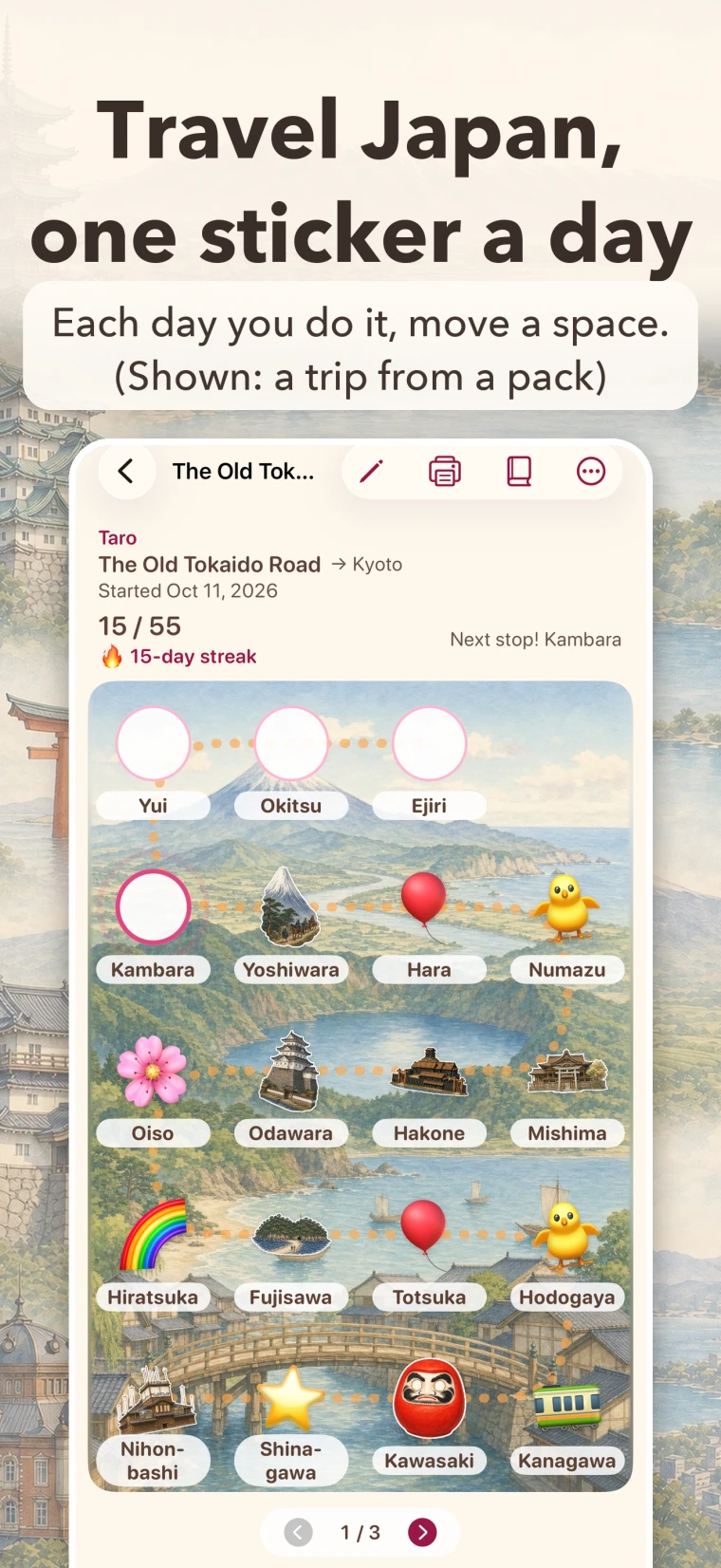
On each day you keep your habit, tap a space on an illustrated map and stick on a sticker. Each sticker moves you one step along the trip, and when you reach the goal, you get a certificate with your name. You can keep several trips going at once, such as one map for reading and another for chores. Each sticker comes with a short note about the place or the theme, so the more you keep going, the more of Japan you get to know.
What PetaTabi can do
- Tap a space on an illustrated map to add one sticker
- Keep as many trips going as you like
- Write what you are working on in your own words (separate from the trip’s name)
- Choose how to keep going: once a day, any number of times, or a weekly goal
- Choose a sticker set: animals, vehicles, trains, sea life, flowers, bugs, exercise, study and more, plus flags
- Tap a sticker to read a short note about it
- 3 Rest Tickets per trip keep your streak going on a day off
- A certificate with your name at the goal (save it or print it)
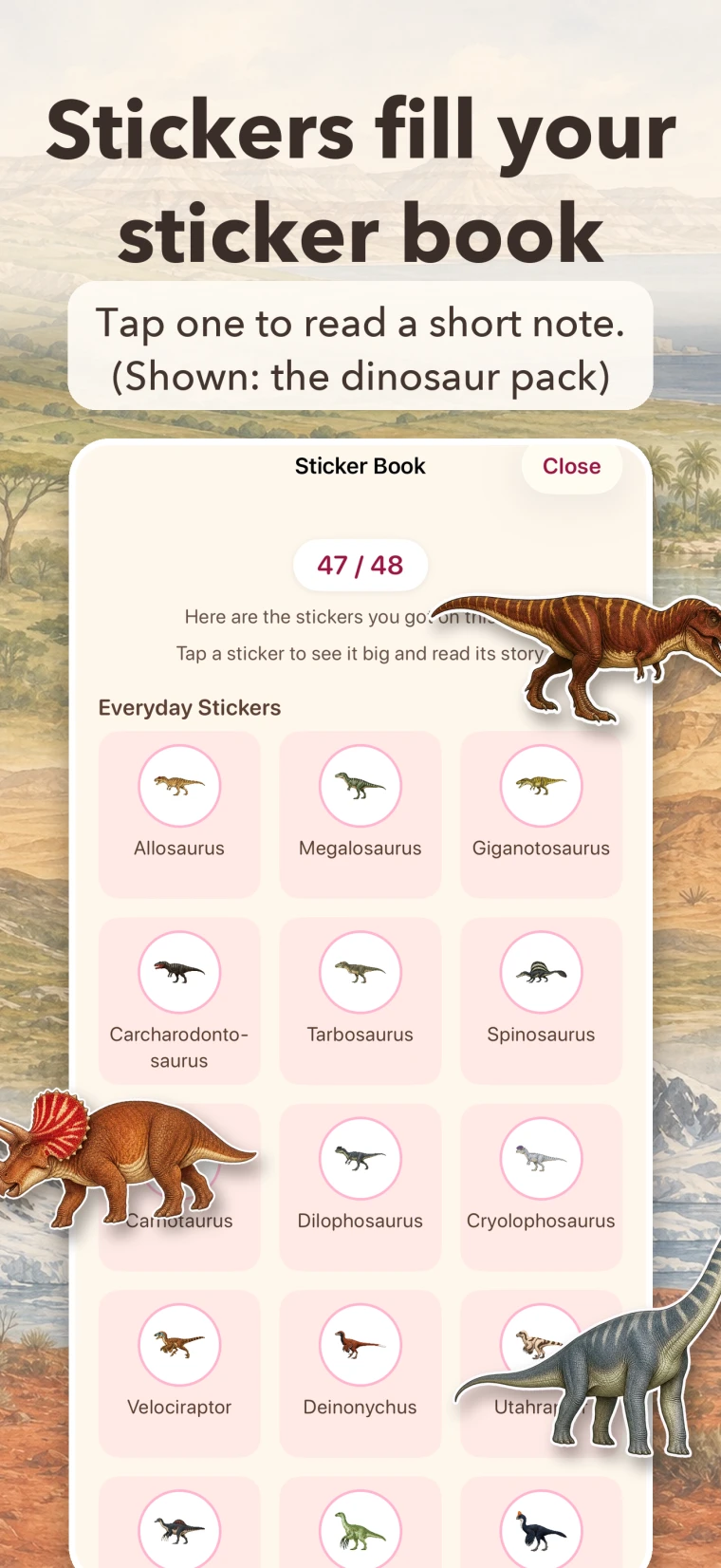
- Your stickers gather in your sticker book (ones you don’t have yet show a lock)
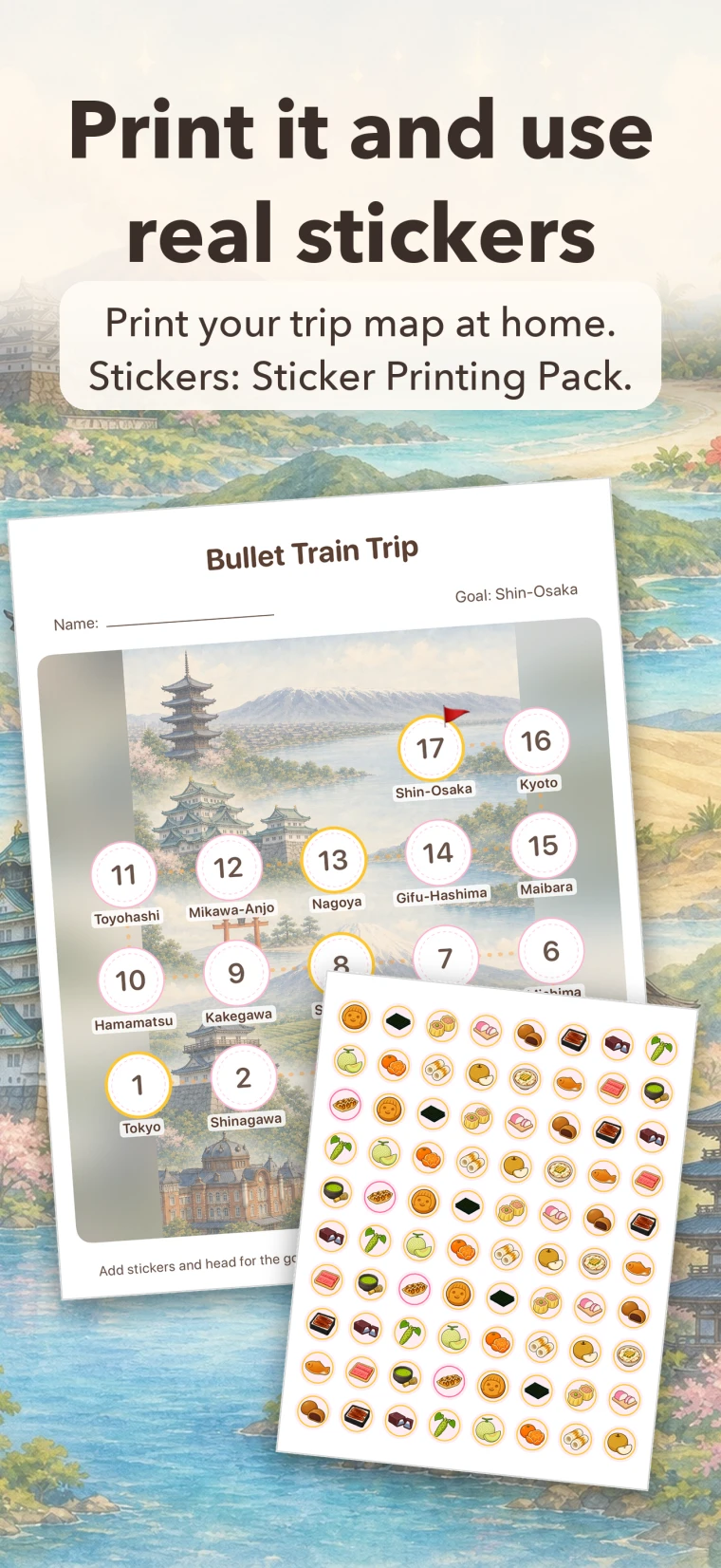
- Print your trip map on Letter or A4 paper
- Print the stickers on Avery 4221 round labels and use real stickers (Sticker Printing Pack)
- A rule that adds stickers as you move (reads steps, walking + running distance or exercise time from Health)
- Home Screen widget (whether you added a sticker today, and how many spaces are left)
- A Daily Reminder for each trip
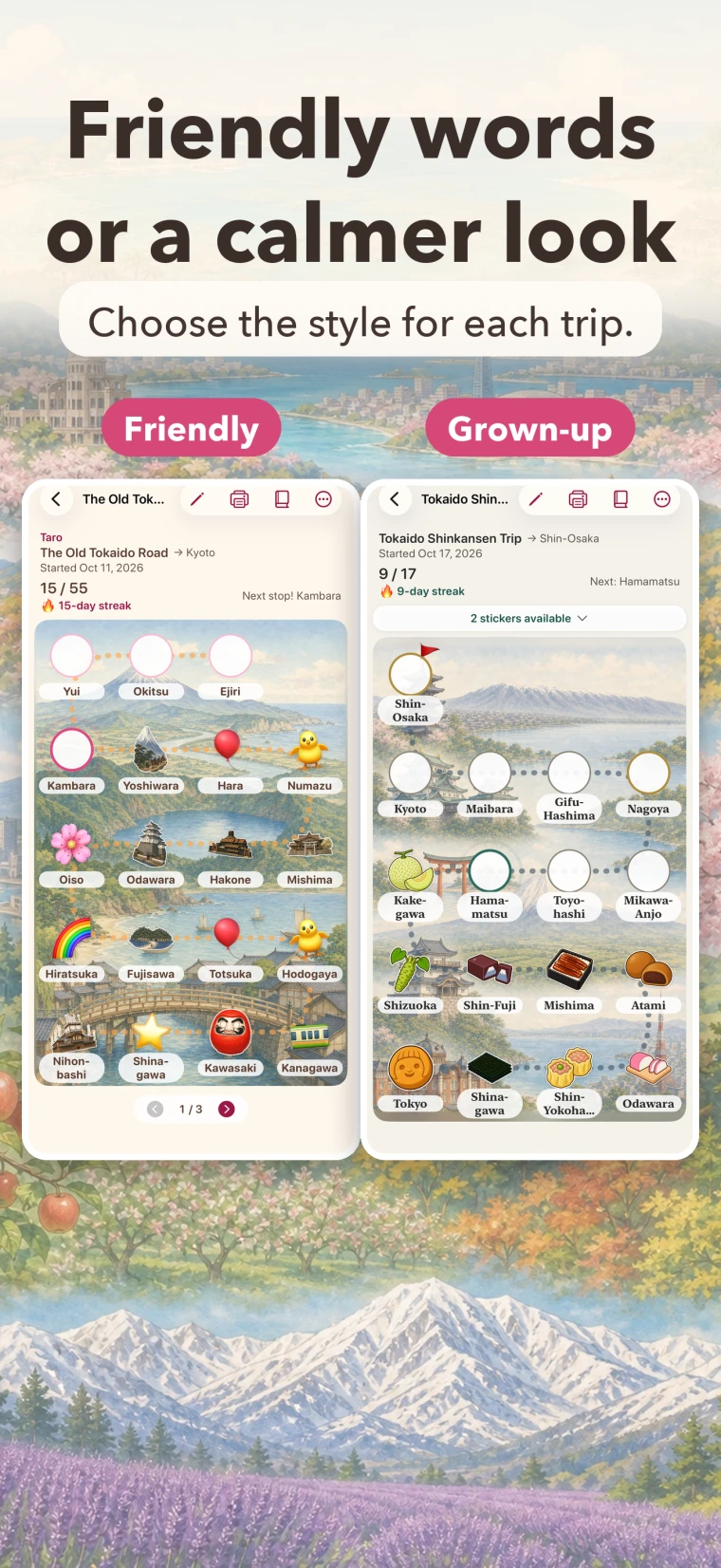
- Choose a style with simple, friendly words or a grown-up style
- Choose one of 4 looks
- Your records sync through iCloud between iPhone and iPad with the same Apple Account
- Make your own trip map with AI (your first credit is free)
- No ads, and nothing that tracks what you do
PetaTabi at a glance
The facts to check before you download.
- What it does
- Record your daily habit by adding stickers on an illustrated map. At the goal, you get a certificate with your name.
- Requirements
- iPhone and iPad with iOS 17.0 or later. It does not work on earlier versions of iOS.
- Price
- The app is free to download. More trip maps, stickers and AI credits are In-App Purchases. Prices are shown in the App Store in your local currency.
- Included
- 2 trips and 31 animal stickers are included from the start, with no time limit.
- Where your records are kept
- In your own iCloud. We do not keep them.
- Who provides it
- Wada Digital Lab develops the app and this page. The App Store (Apple) handles sales and payment.
1. Every sticker moves the trip forward
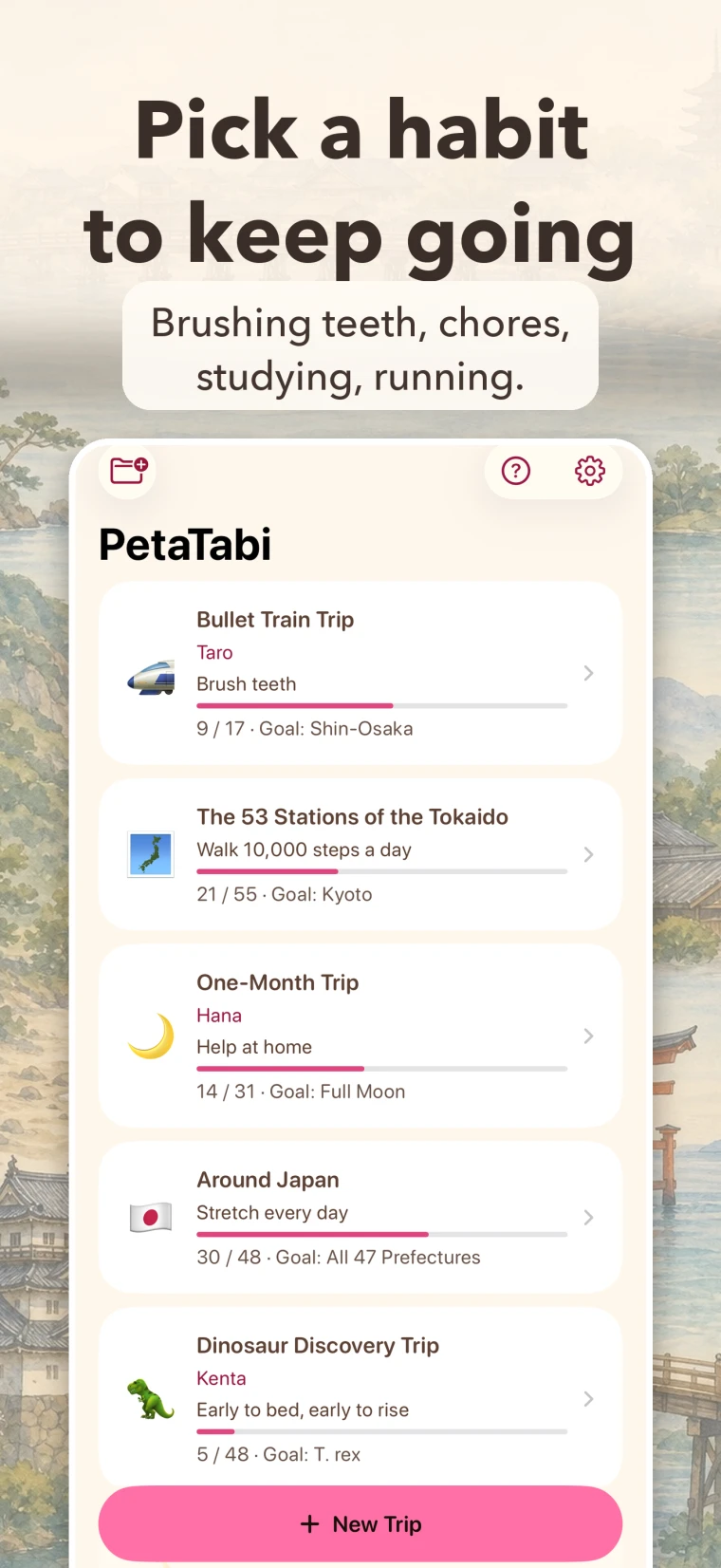
Brushing teeth, chores, homework, potty training, running. Choose what you want to keep doing, then just tap a space each day you do it. When you add a sticker, a short line about that place appears. It is more than a record: how far you have come stays with the stories along the way.
2. Add stickers as you move
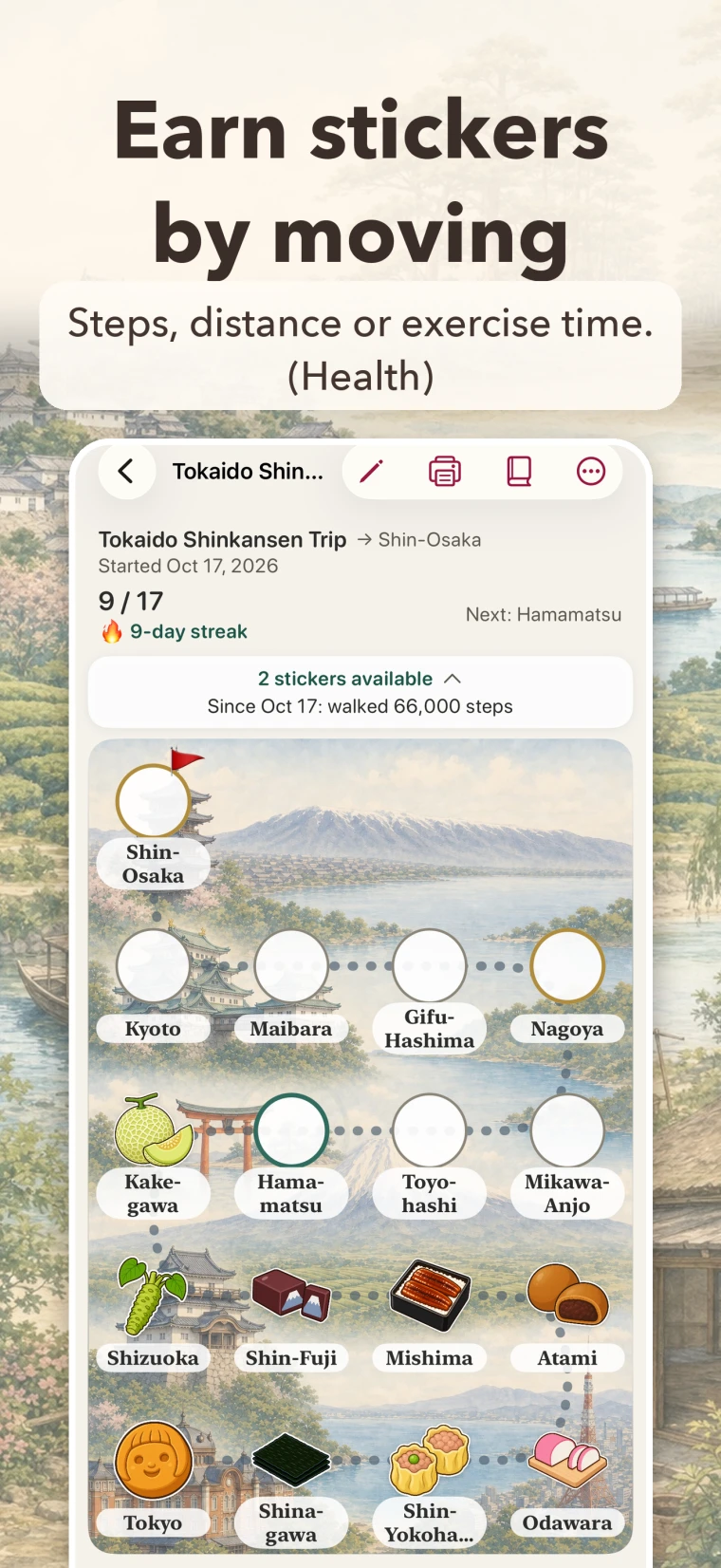
With Apple’s Health app, you can add stickers for the activity you did. Choose it when you make a trip, or later from “Change the Rule”. You can move by steps, walking + running distance or exercise time. For steps, it starts at 6,000 steps per space (you can change it). Exercise time is not limited to walking, so cycling and swimming move you forward too.
- Counting starts when you turn this on. Earlier records are not counted.
- Your iPhone or Apple Watch does the measuring. PetaTabi never measures anything itself.
- PetaTabi reads only these 3 types. It reads no other Health information.
- What is read is used only on this device. It is never sent outside the device or to AI. PetaTabi never writes to Health.
- If your device region is the U.S. or the U.K., distances are shown in miles.
- To stop it, go to Settings → Privacy & Security → Health → PetaTabi on your iPhone. You can also switch the trip back to a rule that does not use Health.
3. A certificate at the goal
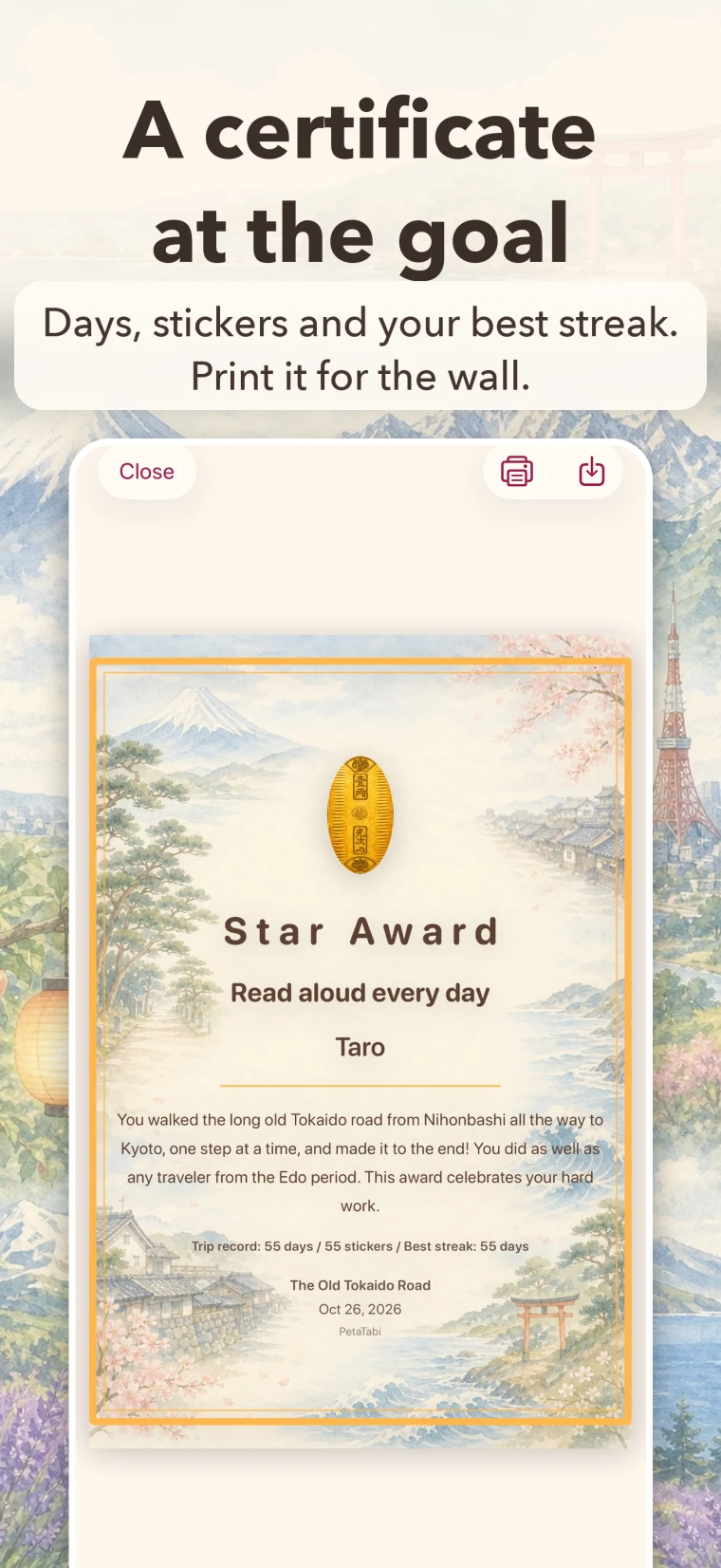
At the last space, you get a certificate. It shows how many days it took, how many stickers you added, and your longest streak. Print it and put it on the wall. You can also print the trip map itself on Letter or A4 paper.
4. Your stickers gather in your sticker book
Tap a sticker to see it large and read a short note. The notes are written for people who love Japan, so they explain things like post towns and travel passes. For example, the Dango sticker on the old Tokaido road tells you that a skewer once held five dumplings and cost five mon, the small coins of the day. Milestone spaces give you a medal, and once in a while a sparkly lucky sticker appears.
5. For adults, too
For each trip, choose a style with simple, friendly words (“For Kids” in the app) or a grown-up style with calmer words and colors (“For Adults”). Studying for a certificate, running, quitting smoking: the same trips and stickers work for adults, too.
6. Make your own trip map with AI
Write the places you want to visit or the times you want to travel through, and the AI Trip Maker makes a trip map. Your first credit is free. To keep using it, get PetaTabi Plus.
- Write: what you are working on, and what kind of trip map you want.
- Answer: if something is missing, the AI asks you, with choices.
- Check the draft: see the space names and their order. You can revise the draft up to 3 times per trip (no credit is used).
- Finish: the AI writes a note for each space and the words for the certificate. This uses 1 credit. Then it draws the background picture.
For example, if you write “Kyoto”, the AI asks which part of Kyoto you want to visit before it makes the draft. The AI can make mistakes. After finishing, you can still rename the spaces yourself.
Only this feature sends text to an AI service over the internet. What is sent is the text you write (what you are working on, the trip map’s topic and your wishes for the picture), your answers to the AI’s questions, what you want changed in a draft, and the number of spaces and the look you chose. The name on the certificate is never sent. Your sticker history and dates are not sent either. The first time you use it, the app shows what will be sent and asks for your consent. Everything else in the app works without it, and without an internet connection.
See the PetaTabi Privacy Policy for each item we handle.
7. Peace of mind
- No ads.
- No tracking.
- A parent check always comes before any purchase, so a child holding the device cannot go straight through to buying.
- What you record is saved on your device and in your own iCloud. The developer cannot see it.
- Activity read from Health is used only on your device, and is never sent outside it or to AI. PetaTabi never writes to Health.
- No sign-up and no login.
Questions
- Can I use it without paying?
- Yes. 2 trips (Bullet Train Trip and One-Month Trip) and 31 animal stickers are included from the start, with no time limit. The certificate and printing the trip map are included, too. Buy more trips and stickers only when you want them.
- Do In-App Purchases cost every month?
- No. Everything is a one-time purchase. Trips, stickers and PetaTabi Plus are yours to keep. Only “3 AI Credits” is used up as you use it, and you can buy it again whenever you need it.
- Can I use what I bought on iPhone on my iPad?
- Yes, with the same Apple Account. Use “Restore Purchases” in the app. Your records also sync through iCloud with the same Apple Account.
- Can a child buy something by accident?
- A parent check always comes before any purchase. You can also turn off In-App Purchases in iOS: Settings → Screen Time → Content & Privacy Restrictions.
- Which devices does it work on?
- iPhone and iPad with iOS 17.0 or later. It does not work on earlier versions of iOS.
- Which paper do I need?
- Trip maps print on Letter or A4 paper. Stickers print on Avery 4221 round labels (3/4 in., US Letter sheets) with the Sticker Printing Pack. Bring your own label sheets and printer.
- Where do I ask for a refund?
- Please ask the App Store (Apple) at reportaproblem.apple.com. Apple is the seller, so we do not handle payments. For questions about the app itself, email wadadigitallab@gmail.com. You may write in English.
Included for free
From the moment you install the app, these are yours to use with no time limit. You can see if you will keep going before you pay for anything.
- 2 trips: Bullet Train Trip (17 spaces along the Tokaido Shinkansen) and One-Month Trip (28 to 31 spaces)
- 31 animal stickers and their notes in the sticker book
- The certificate, printing the trip map (Letter, A4), the Home Screen widget, the Daily Reminder and Rest Tickets
- The rule that adds stickers as you move (Health)
- Your first AI credit
In-App Purchases
All are one-time purchases except 3 AI Credits. Buy only what you need, when you need it. Prices are shown in the App Store.
The 53 Stations of the Tokaido
- A 55-space trip map along the old road from Edo (Tokyo) to Kyoto
- 32 Edo-period stickers
- With notes in the sticker book
Around Japan: 47 Prefectures
- A 48-space trip map of all 47 prefectures
- 48 stickers of local treasures
- With notes in the sticker book
Dinosaur Discovery Journey
- A 48-space trip map
- 48 dinosaur stickers
- With notes in the sticker book
National Flags of the World
- 193 flag stickers and a globe goal sticker
- With notes in the sticker book
- No trip map included
Sticker Printing Pack
- Print your stickers on Avery 4221 round labels (US Letter sheets)
- Printing the map (Letter, A4) and the alignment sheet works without buying
- Label sheets and a printer are not included
PetaTabi Plus
- Keep using the AI Trip Maker
- Comes with 10 AI credits
- One-time purchase (no monthly payment)
3 AI Credits
- Adds 3 AI credits
- For PetaTabi Plus owners
- Buy it again whenever you need it
Payment and restoring purchases are all done in the App Store (Apple). We do not sell anything on this site.
The app is free to download. 2 trips and 31 animal stickers are included, with no time limit. More trips and stickers are In-App Purchases. Payment and restoring purchases are all done in the App Store (Apple).
Before you download
- Requires iOS 17.0 or later (iPhone and iPad). It does not work on earlier versions of iOS. You can check your device in Settings → General → About.
- In-App Purchases are one-time purchases. There are no monthly or yearly payments. Trips and stickers you bought come back with Restore Purchases on the same Apple Account, even after reinstalling.
- AI credits left are tied to use on that device. If you delete and reinstall the app, or start again on another device, credits you had left are not carried over. PetaTabi Plus and the packs you bought are separate, and can be restored.
- Your records are backed up in your own iCloud. iPhone and iPad sync with the same Apple Account. We do not keep them.
Free to download. 2 trips and 31 animal stickers, with no time limit.