Can't find a PDF in Obsidian? Ask an AI — PDFs with text versus PDFs that are only scans
Published October 18, 2026
Official documentation reviewed October 17, 2026 (some steps not tested)
By Wada Digital Lab
When you can’t find a PDF in Obsidian, asking an AI such as Claude Code (“I can’t find the document about…”) often finds it. Claude Code is an AI that can read and write files on your Mac; you run it in your vault’s folder (the vault is the folder where Obsidian keeps your notes). That’s because Obsidian’s search doesn’t look inside PDFs. An AI can pull the text out of a PDF and use it as a clue, even when the words aren’t in the file name. But a PDF that is only a scanned picture of paper has no text to pull out. This article uses what Wada Digital Lab tried to show which PDFs an AI finds easily and which it doesn’t.
Key points
- Obsidian’s search looks only inside notes and canvases (boards where you arrange cards), per the official help. Words inside a PDF won’t turn it up; in our practice vault it found 0 results.
- Pulling the text out of a PDF named like “scan-2026-09-03.pdf” turned up words that aren’t in its name (such as the word for “roof”). An AI can use that text as a clue.
- A PDF that is only a scan has no text to pull out. The AI can still read it if it reads the page as an image, one page at a time, but that takes time when there are many.
- Adding text to a PDF lets an AI pull text out of it. To find it with Obsidian’s search, put the text into the body of a note.
The diagram below shows whether each kind of PDF is found by each way of searching (it is not a screenshot).
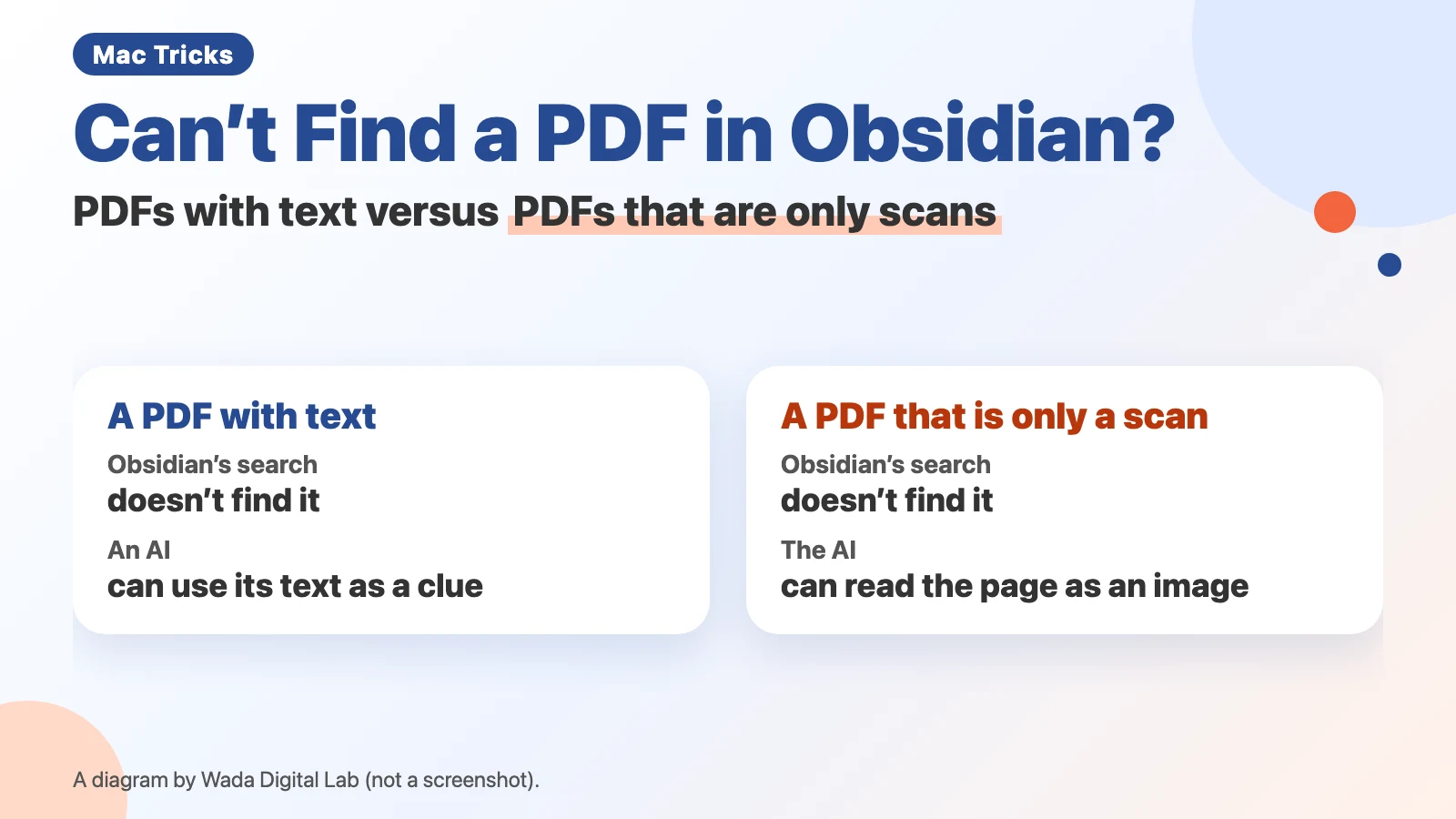
Here is the same idea as a text diagram (not a screenshot).
A PDF with text
Obsidian’s search Not found
Asking an AI
Found
A PDF that is only a scan
Obsidian’s search Not found
Asking an AI
Readable if it reads the page as an image
Obsidian’s search doesn’t look inside PDFs
Obsidian’s official help says: “Obsidian only searches the contents of notes and canvases.” Putting a PDF in your vault doesn’t make the words inside it show up in search. In a practice vault, a search for a made-up phrase written inside a PDF found 0 results.
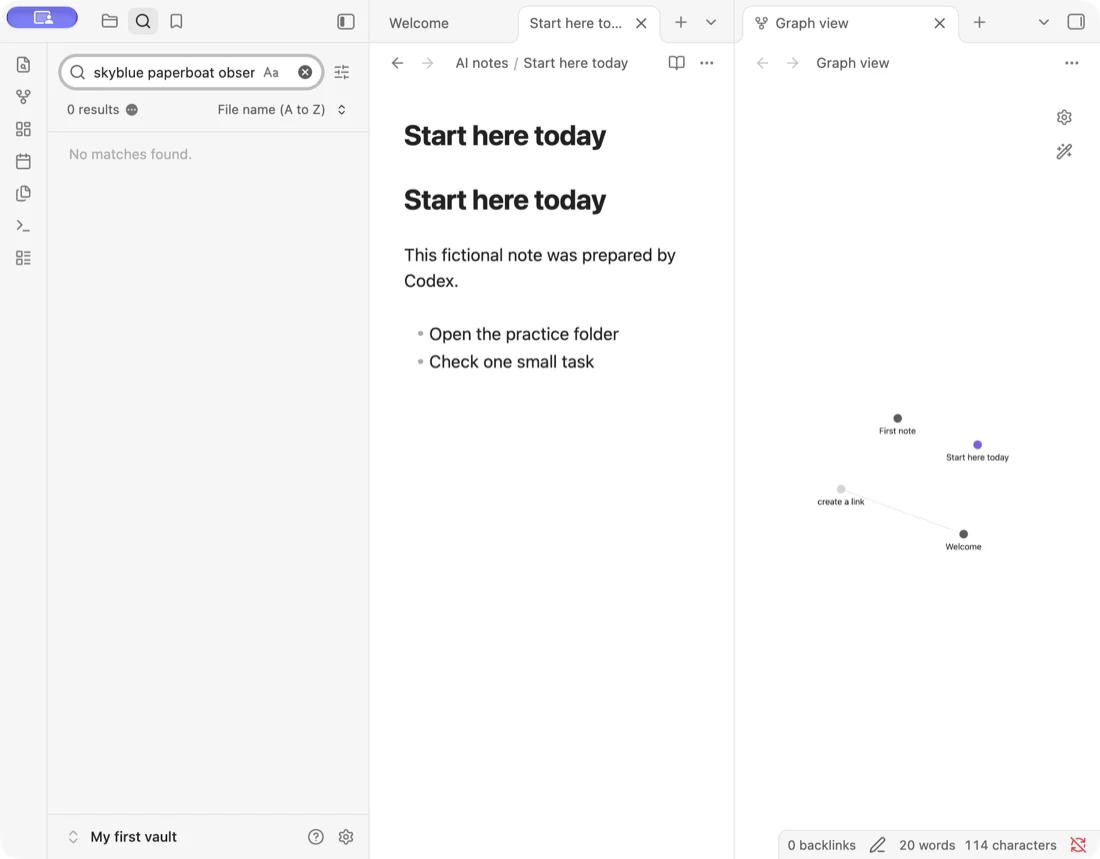
To search for a PDF by its file name, add file: to the search (for example, file:scan-2026-09-03.pdf). The help says: “By default, you can only search the paths and filenames of notes and canvases. To search for a path or filename of any file in the vault, use the path or file operator.”
Tell the AI you can’t find it, and it goes looking
The person who runs Wada Digital Lab almost never gets stuck looking for a PDF in the vault. Even when they can’t find one themselves, telling the AI “I can’t find it” sends it off to look.
How does the AI find it? At Wada Digital Lab, we made a practice folder laid out like a vault and put a note and some made-up document PDFs in it (we did not open it in Obsidian).
- A note, “Home repair notes”: only says “The roof leaked, so I asked Fictional Builders for a quote”
- “scan-2026-09-03.pdf”: a PDF with text, a quote from Fictional Builders that lists a roof repair and its price
- “scan-2026-09-20.pdf”: a PDF with no text, like a plain scan, a notice about a neighborhood weeding day
The name “scan-2026-09-03.pdf” contains neither “roof” nor “quote.” Even so, pulling the text out of the PDF turned up the quote, the builder’s name, and the roof repair. Because the note and the PDF share the builder’s name, a question like “Where’s the quote for the leaking roof?” can lead to the right file.
(The test documents were in Japanese; we describe them in English here.)
PDFs an AI finds easily, and PDFs it doesn’t
| How it searches | A PDF with text | A PDF that is only a scan |
|---|---|---|
| Obsidian’s search | Not found (it doesn’t look inside) | Not found |
| The AI pulls out the PDF’s text | Found (matched the word for “roof”) | There was no text to pull out |
| The AI reads the page as an image | — | Read it (weeding on October 25 from 8 a.m.) |
A PDF that is only a scan has no text to pull out. Even so, it is readable if the AI reads the page as an image, which is one of the AI’s strengths (it reads one page at a time). That is what the diagram means by “Readable if it reads the page as an image.” But with hundreds of PDFs in a vault, reading every page that way takes a long time. It’s safer not to assume the AI will always find it.
Add text to scanned PDFs first
To make scanned PDFs easier for an AI to find, add text to them. On a Mac, open the PDF in Preview, choose File > Export, and select Embed Text. Apple notes: “This option only appears if no text was previously recognized in the document.” Adding text to a PDF doesn’t make Obsidian’s search look inside it. When we tried Embed Text on Japanese documents, though, the added text sometimes had a space between every character, so searching for a word didn’t match. The other route is to put the PDF’s text into the body of a note. Text in a note is found by Obsidian’s search and by an AI alike. For a scanned PDF you can’t copy text from, see can’t copy text from a scanned PDF.
To ask an AI, open Claude Code in your vault’s folder and ask with words you remember, such as “Find the PDF of the quote for the leaking roof.” Our rules for letting an AI read and write notes are in using Obsidian with Claude Code.
Frequently asked questions
Can a plugin make Obsidian search inside PDFs?
Plugins are add-on features for Obsidian. One approach people describe combines two third-party plugins: “Omnisearch” (for searching) and “Text Extractor” (for pulling text out of PDFs and other files). We have not installed or tried them.
Where can I read about letting an AI read my notes?
Using Obsidian with Claude Code covers how we split folders for the AI and more. If you’re just starting, begin with how to start using Obsidian on a Mac.
What we tested on, and our source
We tested on October 17, 2026, on a MacBook Air with M4 running macOS 27.0.1, in a practice folder laid out like a vault (made-up documents only, not opened in Obsidian). We checked the text pulled out of the PDFs with a tool called “pdftotext” and with the text that the Mac’s Spotlight extracts, and checked the scan-only PDF by having Claude Code read the page. Obsidian’s search returning 0 results for a phrase inside a PDF was photographed in a practice vault on a MacBook Air with an M2 chip, running macOS 27.0.1 and Obsidian 1.14.4. We did not test asking an AI to find a document end to end, or any plugin. The site owner’s experience of finding PDFs comes from the owner.
We checked the quote against the help’s source document on October 17, 2026.